Compare commits
1 Commits
master
...
topic-star
| Author | SHA1 | Date | |
|---|---|---|---|

|
6c069776fb |
36
.github/workflows/deploy.yml
vendored
Normal file
36
.github/workflows/deploy.yml
vendored
Normal file
@ -0,0 +1,36 @@
|
||||
name: Deploy
|
||||
|
||||
on:
|
||||
push:
|
||||
branches: [ master ]
|
||||
create:
|
||||
tags: [ '*' ]
|
||||
|
||||
jobs:
|
||||
build:
|
||||
runs-on: ubuntu-latest
|
||||
container: kmkfw/base
|
||||
|
||||
steps:
|
||||
- uses: actions/checkout@v2
|
||||
- name: Test the code (lint)
|
||||
run: make test
|
||||
- name: Package the code
|
||||
run: make dist
|
||||
|
||||
- name: Branch based code deployment
|
||||
run: make dist-deploy
|
||||
if: github.event_name == 'push'
|
||||
env:
|
||||
CIRCLE_BRANCH: "${GITHUB_REF_NAME}"
|
||||
AWS_ACCESS_KEY: ${{ secrets.AWS_ACCESS_KEY }}
|
||||
AWS_SECRET_KEY: ${{ secrets.AWS_SECRET_KEY }}
|
||||
AWS_SESSION_TOKEN: ${{ secrets.AWS_SESSION_TOKEN }}
|
||||
- name: Tag based code deployment
|
||||
run: make dist-deploy
|
||||
if: github.event_name == 'create'
|
||||
env:
|
||||
CIRCLE_TAG: "${GITHUB_REF_NAME}"
|
||||
AWS_ACCESS_KEY: ${{ secrets.AWS_ACCESS_KEY }}
|
||||
AWS_SECRET_KEY: ${{ secrets.AWS_SECRET_KEY }}
|
||||
AWS_SESSION_TOKEN: ${{ secrets.AWS_SESSION_TOKEN }}
|
||||
3
.gitignore
vendored
3
.gitignore
vendored
@ -121,9 +121,6 @@ venv.bak/
|
||||
mnt/
|
||||
mnt2/
|
||||
|
||||
# Mac
|
||||
.DS_Store
|
||||
|
||||
# build artifacts
|
||||
kmk/release_info.py
|
||||
kmk/release_info.mpy
|
||||
|
||||
10
Makefile
10
Makefile
@ -21,7 +21,7 @@ PIPENV ?= $(shell which pipenv 2>/dev/null)
|
||||
|
||||
MPY_CROSS ?= $(shell which mpy-cross 2>/dev/null)
|
||||
MPY_FLAGS ?= '-O2'
|
||||
MPY_SOURCES ?= 'kmk/'
|
||||
MPY_SOURCES = 'kmk/'
|
||||
MPY_TARGET_DIR ?= .compiled
|
||||
PY_KMK_TREE = $(shell find $(MPY_SOURCES) -name "*.py")
|
||||
DIST_DESCRIBE = $(shell $(DIST_DESCRIBE_CMD))
|
||||
@ -40,7 +40,7 @@ endif
|
||||
@echo "===> Compiling all py files to mpy with flags $(MPY_FLAGS)"
|
||||
@mkdir -p $(MPY_TARGET_DIR)
|
||||
@echo "KMK_RELEASE = '$(DIST_DESCRIBE)'" > $(MPY_SOURCES)/release_info.py
|
||||
@find $(MPY_SOURCES) -name "*.py" -exec sh -c 'mkdir -p $(MPY_TARGET_DIR)/$$(dirname {}) && $(MPY_CROSS) $(MPY_FLAGS) {} -o $(MPY_TARGET_DIR)/$$(dirname {})/$$(basename -s .py {}).mpy' \;
|
||||
@find $(MPY_SOURCES) -name "*.py" -exec sh -c 'mkdir -p $(MPY_TARGET_DIR)/$$(dirname {}) && mpy-cross $(MPY_FLAGS) {} -o $(MPY_TARGET_DIR)/$$(dirname {})/$$(basename -s .py {}).mpy' \;
|
||||
@rm -rf $(MPY_SOURCES)/release_info.py
|
||||
@touch $(MPY_TARGET_DIR)/.mpy.compiled
|
||||
|
||||
@ -88,11 +88,7 @@ powerwash: clean
|
||||
@echo "===> Removing pipenv-managed virtual environment"
|
||||
@$(PIPENV) --rm || true
|
||||
|
||||
test: lint unit-tests
|
||||
|
||||
.PHONY: unit-tests
|
||||
unit-tests: devdeps
|
||||
@$(PIPENV) run python3 -m unittest
|
||||
test: lint
|
||||
|
||||
reset-bootloader:
|
||||
@echo "===> Rebooting your board to bootloader (safe to ignore file not found errors)"
|
||||
|
||||
383
Pipfile.lock
generated
383
Pipfile.lock
generated
@ -47,19 +47,19 @@
|
||||
},
|
||||
"click": {
|
||||
"hashes": [
|
||||
"sha256:353f466495adaeb40b6b5f592f9f91cb22372351c84caeb068132442a4518ef3",
|
||||
"sha256:410e932b050f5eed773c4cda94de75971c89cdb3155a72a0831139a79e5ecb5b"
|
||||
"sha256:8c04c11192119b1ef78ea049e0a6f0463e4c48ef00a30160c704337586f3ad7a",
|
||||
"sha256:fba402a4a47334742d782209a7c79bc448911afe1149d07bdabdf480b3e2f4b6"
|
||||
],
|
||||
"markers": "python_version >= '3.6'",
|
||||
"version": "==8.0.3"
|
||||
"version": "==8.0.1"
|
||||
},
|
||||
"decorator": {
|
||||
"hashes": [
|
||||
"sha256:637996211036b6385ef91435e4fae22989472f9d571faba8927ba8253acbc330",
|
||||
"sha256:b8c3f85900b9dc423225913c5aace94729fe1fa9763b38939a95226f02d37186"
|
||||
"sha256:6e5c199c16f7a9f0e3a61a4a54b3d27e7dad0dbdde92b944426cb20914376323",
|
||||
"sha256:72ecfba4320a893c53f9706bebb2d55c270c1e51a28789361aa93e4a21319ed5"
|
||||
],
|
||||
"markers": "python_version >= '3.5'",
|
||||
"version": "==5.1.1"
|
||||
"version": "==5.0.9"
|
||||
},
|
||||
"flake8": {
|
||||
"hashes": [
|
||||
@ -110,64 +110,58 @@
|
||||
},
|
||||
"greenlet": {
|
||||
"hashes": [
|
||||
"sha256:0051c6f1f27cb756ffc0ffbac7d2cd48cb0362ac1736871399a739b2885134d3",
|
||||
"sha256:00e44c8afdbe5467e4f7b5851be223be68adb4272f44696ee71fe46b7036a711",
|
||||
"sha256:013d61294b6cd8fe3242932c1c5e36e5d1db2c8afb58606c5a67efce62c1f5fd",
|
||||
"sha256:049fe7579230e44daef03a259faa24511d10ebfa44f69411d99e6a184fe68073",
|
||||
"sha256:14d4f3cd4e8b524ae9b8aa567858beed70c392fdec26dbdb0a8a418392e71708",
|
||||
"sha256:166eac03e48784a6a6e0e5f041cfebb1ab400b394db188c48b3a84737f505b67",
|
||||
"sha256:17ff94e7a83aa8671a25bf5b59326ec26da379ace2ebc4411d690d80a7fbcf23",
|
||||
"sha256:1e12bdc622676ce47ae9abbf455c189e442afdde8818d9da983085df6312e7a1",
|
||||
"sha256:21915eb821a6b3d9d8eefdaf57d6c345b970ad722f856cd71739493ce003ad08",
|
||||
"sha256:288c6a76705dc54fba69fbcb59904ae4ad768b4c768839b8ca5fdadec6dd8cfd",
|
||||
"sha256:2bde6792f313f4e918caabc46532aa64aa27a0db05d75b20edfc5c6f46479de2",
|
||||
"sha256:32ca72bbc673adbcfecb935bb3fb1b74e663d10a4b241aaa2f5a75fe1d1f90aa",
|
||||
"sha256:356b3576ad078c89a6107caa9c50cc14e98e3a6c4874a37c3e0273e4baf33de8",
|
||||
"sha256:40b951f601af999a8bf2ce8c71e8aaa4e8c6f78ff8afae7b808aae2dc50d4c40",
|
||||
"sha256:572e1787d1460da79590bf44304abbc0a2da944ea64ec549188fa84d89bba7ab",
|
||||
"sha256:58df5c2a0e293bf665a51f8a100d3e9956febfbf1d9aaf8c0677cf70218910c6",
|
||||
"sha256:64e6175c2e53195278d7388c454e0b30997573f3f4bd63697f88d855f7a6a1fc",
|
||||
"sha256:7227b47e73dedaa513cdebb98469705ef0d66eb5a1250144468e9c3097d6b59b",
|
||||
"sha256:7418b6bfc7fe3331541b84bb2141c9baf1ec7132a7ecd9f375912eca810e714e",
|
||||
"sha256:7cbd7574ce8e138bda9df4efc6bf2ab8572c9aff640d8ecfece1b006b68da963",
|
||||
"sha256:7ff61ff178250f9bb3cd89752df0f1dd0e27316a8bd1465351652b1b4a4cdfd3",
|
||||
"sha256:833e1551925ed51e6b44c800e71e77dacd7e49181fdc9ac9a0bf3714d515785d",
|
||||
"sha256:8639cadfda96737427330a094476d4c7a56ac03de7265622fcf4cfe57c8ae18d",
|
||||
"sha256:8c5d5b35f789a030ebb95bff352f1d27a93d81069f2adb3182d99882e095cefe",
|
||||
"sha256:8c790abda465726cfb8bb08bd4ca9a5d0a7bd77c7ac1ca1b839ad823b948ea28",
|
||||
"sha256:8d2f1fb53a421b410751887eb4ff21386d119ef9cde3797bf5e7ed49fb51a3b3",
|
||||
"sha256:903bbd302a2378f984aef528f76d4c9b1748f318fe1294961c072bdc7f2ffa3e",
|
||||
"sha256:93f81b134a165cc17123626ab8da2e30c0455441d4ab5576eed73a64c025b25c",
|
||||
"sha256:95e69877983ea39b7303570fa6760f81a3eec23d0e3ab2021b7144b94d06202d",
|
||||
"sha256:9633b3034d3d901f0a46b7939f8c4d64427dfba6bbc5a36b1a67364cf148a1b0",
|
||||
"sha256:97e5306482182170ade15c4b0d8386ded995a07d7cc2ca8f27958d34d6736497",
|
||||
"sha256:9f3cba480d3deb69f6ee2c1825060177a22c7826431458c697df88e6aeb3caee",
|
||||
"sha256:aa5b467f15e78b82257319aebc78dd2915e4c1436c3c0d1ad6f53e47ba6e2713",
|
||||
"sha256:abb7a75ed8b968f3061327c433a0fbd17b729947b400747c334a9c29a9af6c58",
|
||||
"sha256:aec52725173bd3a7b56fe91bc56eccb26fbdff1386ef123abb63c84c5b43b63a",
|
||||
"sha256:b11548073a2213d950c3f671aa88e6f83cda6e2fb97a8b6317b1b5b33d850e06",
|
||||
"sha256:b1692f7d6bc45e3200844be0dba153612103db241691088626a33ff1f24a0d88",
|
||||
"sha256:b336501a05e13b616ef81ce329c0e09ac5ed8c732d9ba7e3e983fcc1a9e86965",
|
||||
"sha256:b8c008de9d0daba7b6666aa5bbfdc23dcd78cafc33997c9b7741ff6353bafb7f",
|
||||
"sha256:b92e29e58bef6d9cfd340c72b04d74c4b4e9f70c9fa7c78b674d1fec18896dc4",
|
||||
"sha256:be5f425ff1f5f4b3c1e33ad64ab994eed12fc284a6ea71c5243fd564502ecbe5",
|
||||
"sha256:dd0b1e9e891f69e7675ba5c92e28b90eaa045f6ab134ffe70b52e948aa175b3c",
|
||||
"sha256:e30f5ea4ae2346e62cedde8794a56858a67b878dd79f7df76a0767e356b1744a",
|
||||
"sha256:e6a36bb9474218c7a5b27ae476035497a6990e21d04c279884eb10d9b290f1b1",
|
||||
"sha256:e859fcb4cbe93504ea18008d1df98dee4f7766db66c435e4882ab35cf70cac43",
|
||||
"sha256:eb6ea6da4c787111adf40f697b4e58732ee0942b5d3bd8f435277643329ba627",
|
||||
"sha256:ec8c433b3ab0419100bd45b47c9c8551248a5aee30ca5e9d399a0b57ac04651b",
|
||||
"sha256:eff9d20417ff9dcb0d25e2defc2574d10b491bf2e693b4e491914738b7908168",
|
||||
"sha256:f0214eb2a23b85528310dad848ad2ac58e735612929c8072f6093f3585fd342d",
|
||||
"sha256:f276df9830dba7a333544bd41070e8175762a7ac20350786b322b714b0e654f5",
|
||||
"sha256:f3acda1924472472ddd60c29e5b9db0cec629fbe3c5c5accb74d6d6d14773478",
|
||||
"sha256:f70a9e237bb792c7cc7e44c531fd48f5897961701cdaa06cf22fc14965c496cf",
|
||||
"sha256:f9d29ca8a77117315101425ec7ec2a47a22ccf59f5593378fc4077ac5b754fce",
|
||||
"sha256:fa877ca7f6b48054f847b61d6fa7bed5cebb663ebc55e018fda12db09dcc664c",
|
||||
"sha256:fdcec0b8399108577ec290f55551d926d9a1fa6cad45882093a7a07ac5ec147b"
|
||||
"sha256:03f28a5ea20201e70ab70518d151116ce939b412961c33827519ce620957d44c",
|
||||
"sha256:06d7ac89e6094a0a8f8dc46aa61898e9e1aec79b0f8b47b2400dd51a44dbc832",
|
||||
"sha256:06ecb43b04480e6bafc45cb1b4b67c785e183ce12c079473359e04a709333b08",
|
||||
"sha256:096cb0217d1505826ba3d723e8981096f2622cde1eb91af9ed89a17c10aa1f3e",
|
||||
"sha256:0c557c809eeee215b87e8a7cbfb2d783fb5598a78342c29ade561440abae7d22",
|
||||
"sha256:0de64d419b1cb1bfd4ea544bedea4b535ef3ae1e150b0f2609da14bbf48a4a5f",
|
||||
"sha256:14927b15c953f8f2d2a8dffa224aa78d7759ef95284d4c39e1745cf36e8cdd2c",
|
||||
"sha256:16183fa53bc1a037c38d75fdc59d6208181fa28024a12a7f64bb0884434c91ea",
|
||||
"sha256:206295d270f702bc27dbdbd7651e8ebe42d319139e0d90217b2074309a200da8",
|
||||
"sha256:22002259e5b7828b05600a762579fa2f8b33373ad95a0ee57b4d6109d0e589ad",
|
||||
"sha256:2325123ff3a8ecc10ca76f062445efef13b6cf5a23389e2df3c02a4a527b89bc",
|
||||
"sha256:258f9612aba0d06785143ee1cbf2d7361801c95489c0bd10c69d163ec5254a16",
|
||||
"sha256:3096286a6072553b5dbd5efbefc22297e9d06a05ac14ba017233fedaed7584a8",
|
||||
"sha256:3d13da093d44dee7535b91049e44dd2b5540c2a0e15df168404d3dd2626e0ec5",
|
||||
"sha256:408071b64e52192869129a205e5b463abda36eff0cebb19d6e63369440e4dc99",
|
||||
"sha256:598bcfd841e0b1d88e32e6a5ea48348a2c726461b05ff057c1b8692be9443c6e",
|
||||
"sha256:5d928e2e3c3906e0a29b43dc26d9b3d6e36921eee276786c4e7ad9ff5665c78a",
|
||||
"sha256:5f75e7f237428755d00e7460239a2482fa7e3970db56c8935bd60da3f0733e56",
|
||||
"sha256:60848099b76467ef09b62b0f4512e7e6f0a2c977357a036de602b653667f5f4c",
|
||||
"sha256:6b1d08f2e7f2048d77343279c4d4faa7aef168b3e36039cba1917fffb781a8ed",
|
||||
"sha256:70bd1bb271e9429e2793902dfd194b653221904a07cbf207c3139e2672d17959",
|
||||
"sha256:76ed710b4e953fc31c663b079d317c18f40235ba2e3d55f70ff80794f7b57922",
|
||||
"sha256:7920e3eccd26b7f4c661b746002f5ec5f0928076bd738d38d894bb359ce51927",
|
||||
"sha256:7db68f15486d412b8e2cfcd584bf3b3a000911d25779d081cbbae76d71bd1a7e",
|
||||
"sha256:8833e27949ea32d27f7e96930fa29404dd4f2feb13cce483daf52e8842ec246a",
|
||||
"sha256:944fbdd540712d5377a8795c840a97ff71e7f3221d3fddc98769a15a87b36131",
|
||||
"sha256:9a6b035aa2c5fcf3dbbf0e3a8a5bc75286fc2d4e6f9cfa738788b433ec894919",
|
||||
"sha256:9bdcff4b9051fb1aa4bba4fceff6a5f770c6be436408efd99b76fc827f2a9319",
|
||||
"sha256:a9017ff5fc2522e45562882ff481128631bf35da444775bc2776ac5c61d8bcae",
|
||||
"sha256:aa4230234d02e6f32f189fd40b59d5a968fe77e80f59c9c933384fe8ba535535",
|
||||
"sha256:ad80bb338cf9f8129c049837a42a43451fc7c8b57ad56f8e6d32e7697b115505",
|
||||
"sha256:adb94a28225005890d4cf73648b5131e885c7b4b17bc762779f061844aabcc11",
|
||||
"sha256:b3090631fecdf7e983d183d0fad7ea72cfb12fa9212461a9b708ff7907ffff47",
|
||||
"sha256:b33b51ab057f8a20b497ffafdb1e79256db0c03ef4f5e3d52e7497200e11f821",
|
||||
"sha256:b97c9a144bbeec7039cca44df117efcbeed7209543f5695201cacf05ba3b5857",
|
||||
"sha256:be13a18cec649ebaab835dff269e914679ef329204704869f2f167b2c163a9da",
|
||||
"sha256:be9768e56f92d1d7cd94185bab5856f3c5589a50d221c166cc2ad5eb134bd1dc",
|
||||
"sha256:c1580087ab493c6b43e66f2bdd165d9e3c1e86ef83f6c2c44a29f2869d2c5bd5",
|
||||
"sha256:c35872b2916ab5a240d52a94314c963476c989814ba9b519bc842e5b61b464bb",
|
||||
"sha256:c70c7dd733a4c56838d1f1781e769081a25fade879510c5b5f0df76956abfa05",
|
||||
"sha256:c767458511a59f6f597bfb0032a1c82a52c29ae228c2c0a6865cfeaeaac4c5f5",
|
||||
"sha256:c87df8ae3f01ffb4483c796fe1b15232ce2b219f0b18126948616224d3f658ee",
|
||||
"sha256:ca1c4a569232c063615f9e70ff9a1e2fee8c66a6fb5caf0f5e8b21a396deec3e",
|
||||
"sha256:cc407b68e0a874e7ece60f6639df46309376882152345508be94da608cc0b831",
|
||||
"sha256:da862b8f7de577bc421323714f63276acb2f759ab8c5e33335509f0b89e06b8f",
|
||||
"sha256:dfe7eac0d253915116ed0cd160a15a88981a1d194c1ef151e862a5c7d2f853d3",
|
||||
"sha256:ed1377feed808c9c1139bdb6a61bcbf030c236dd288d6fca71ac26906ab03ba6",
|
||||
"sha256:f42ad188466d946f1b3afc0a9e1a266ac8926461ee0786c06baac6bd71f8a6f3",
|
||||
"sha256:f92731609d6625e1cc26ff5757db4d32b6b810d2a3363b0ff94ff573e5901f6f"
|
||||
],
|
||||
"markers": "python_version >= '2.7' and python_version not in '3.0, 3.1, 3.2, 3.3, 3.4'",
|
||||
"version": "==1.1.2"
|
||||
"version": "==1.1.0"
|
||||
},
|
||||
"ipdb": {
|
||||
"hashes": [
|
||||
@ -178,11 +172,18 @@
|
||||
},
|
||||
"ipython": {
|
||||
"hashes": [
|
||||
"sha256:55df3e0bd0f94e715abd968bedd89d4e8a7bce4bf498fb123fed4f5398fea874",
|
||||
"sha256:b5548ec5329a4bcf054a5deed5099b0f9622eb9ea51aaa7104d215fece201d8c"
|
||||
"sha256:9bc24a99f5d19721fb8a2d1408908e9c0520a17fff2233ffe82620847f17f1b6",
|
||||
"sha256:d513e93327cf8657d6467c81f1f894adc125334ffe0e4ddd1abbb1c78d828703"
|
||||
],
|
||||
"index": "pypi",
|
||||
"version": "==7.31.1"
|
||||
"version": "==7.24.1"
|
||||
},
|
||||
"ipython-genutils": {
|
||||
"hashes": [
|
||||
"sha256:72dd37233799e619666c9f639a9da83c34013a73e8bbc79a7a6348d93c61fab8",
|
||||
"sha256:eb2e116e75ecef9d4d228fdc66af54269afa26ab4463042e33785b887c628ba8"
|
||||
],
|
||||
"version": "==0.2.0"
|
||||
},
|
||||
"isort": {
|
||||
"hashes": [
|
||||
@ -194,19 +195,19 @@
|
||||
},
|
||||
"jedi": {
|
||||
"hashes": [
|
||||
"sha256:637c9635fcf47945ceb91cd7f320234a7be540ded6f3e99a50cb6febdfd1ba8d",
|
||||
"sha256:74137626a64a99c8eb6ae5832d99b3bdd7d29a3850fe2aa80a4126b2a7d949ab"
|
||||
"sha256:18456d83f65f400ab0c2d3319e48520420ef43b23a086fdc05dff34132f0fb93",
|
||||
"sha256:92550a404bad8afed881a137ec9a461fed49eca661414be45059329614ed0707"
|
||||
],
|
||||
"markers": "python_version >= '3.6'",
|
||||
"version": "==0.18.1"
|
||||
"version": "==0.18.0"
|
||||
},
|
||||
"matplotlib-inline": {
|
||||
"hashes": [
|
||||
"sha256:a04bfba22e0d1395479f866853ec1ee28eea1485c1d69a6faf00dc3e24ff34ee",
|
||||
"sha256:aed605ba3b72462d64d475a21a9296f400a19c4f74a31b59103d2a99ffd5aa5c"
|
||||
"sha256:5cf1176f554abb4fa98cb362aa2b55c500147e4bdbb07e3fda359143e1da0811",
|
||||
"sha256:f41d5ff73c9f5385775d5c0bc13b424535c8402fe70ea8210f93e11f3683993e"
|
||||
],
|
||||
"markers": "python_version >= '3.5'",
|
||||
"version": "==0.1.3"
|
||||
"version": "==0.1.2"
|
||||
},
|
||||
"mccabe": {
|
||||
"hashes": [
|
||||
@ -217,42 +218,36 @@
|
||||
},
|
||||
"msgpack": {
|
||||
"hashes": [
|
||||
"sha256:0d8c332f53ffff01953ad25131272506500b14750c1d0ce8614b17d098252fbc",
|
||||
"sha256:1c58cdec1cb5fcea8c2f1771d7b5fec79307d056874f746690bd2bdd609ab147",
|
||||
"sha256:2c3ca57c96c8e69c1a0d2926a6acf2d9a522b41dc4253a8945c4c6cd4981a4e3",
|
||||
"sha256:2f30dd0dc4dfe6231ad253b6f9f7128ac3202ae49edd3f10d311adc358772dba",
|
||||
"sha256:2f97c0f35b3b096a330bb4a1a9247d0bd7e1f3a2eba7ab69795501504b1c2c39",
|
||||
"sha256:36a64a10b16c2ab31dcd5f32d9787ed41fe68ab23dd66957ca2826c7f10d0b85",
|
||||
"sha256:3d875631ecab42f65f9dce6f55ce6d736696ced240f2634633188de2f5f21af9",
|
||||
"sha256:40fb89b4625d12d6027a19f4df18a4de5c64f6f3314325049f219683e07e678a",
|
||||
"sha256:47d733a15ade190540c703de209ffbc42a3367600421b62ac0c09fde594da6ec",
|
||||
"sha256:494471d65b25a8751d19c83f1a482fd411d7ca7a3b9e17d25980a74075ba0e88",
|
||||
"sha256:51fdc7fb93615286428ee7758cecc2f374d5ff363bdd884c7ea622a7a327a81e",
|
||||
"sha256:6eef0cf8db3857b2b556213d97dd82de76e28a6524853a9beb3264983391dc1a",
|
||||
"sha256:6f4c22717c74d44bcd7af353024ce71c6b55346dad5e2cc1ddc17ce8c4507c6b",
|
||||
"sha256:73a80bd6eb6bcb338c1ec0da273f87420829c266379c8c82fa14c23fb586cfa1",
|
||||
"sha256:89908aea5f46ee1474cc37fbc146677f8529ac99201bc2faf4ef8edc023c2bf3",
|
||||
"sha256:8a3a5c4b16e9d0edb823fe54b59b5660cc8d4782d7bf2c214cb4b91a1940a8ef",
|
||||
"sha256:96acc674bb9c9be63fa8b6dabc3248fdc575c4adc005c440ad02f87ca7edd079",
|
||||
"sha256:973ad69fd7e31159eae8f580f3f707b718b61141838321c6fa4d891c4a2cca52",
|
||||
"sha256:9b6f2d714c506e79cbead331de9aae6837c8dd36190d02da74cb409b36162e8a",
|
||||
"sha256:9c0903bd93cbd34653dd63bbfcb99d7539c372795201f39d16fdfde4418de43a",
|
||||
"sha256:9fce00156e79af37bb6db4e7587b30d11e7ac6a02cb5bac387f023808cd7d7f4",
|
||||
"sha256:a598d0685e4ae07a0672b59792d2cc767d09d7a7f39fd9bd37ff84e060b1a996",
|
||||
"sha256:b0a792c091bac433dfe0a70ac17fc2087d4595ab835b47b89defc8bbabcf5c73",
|
||||
"sha256:bb87f23ae7d14b7b3c21009c4b1705ec107cb21ee71975992f6aca571fb4a42a",
|
||||
"sha256:bf1e6bfed4860d72106f4e0a1ab519546982b45689937b40257cfd820650b920",
|
||||
"sha256:c1ba333b4024c17c7591f0f372e2daa3c31db495a9b2af3cf664aef3c14354f7",
|
||||
"sha256:c2140cf7a3ec475ef0938edb6eb363fa704159e0bf71dde15d953bacc1cf9d7d",
|
||||
"sha256:c7e03b06f2982aa98d4ddd082a210c3db200471da523f9ac197f2828e80e7770",
|
||||
"sha256:d02cea2252abc3756b2ac31f781f7a98e89ff9759b2e7450a1c7a0d13302ff50",
|
||||
"sha256:da24375ab4c50e5b7486c115a3198d207954fe10aaa5708f7b65105df09109b2",
|
||||
"sha256:e4c309a68cb5d6bbd0c50d5c71a25ae81f268c2dc675c6f4ea8ab2feec2ac4e2",
|
||||
"sha256:f01b26c2290cbd74316990ba84a14ac3d599af9cebefc543d241a66e785cf17d",
|
||||
"sha256:f201d34dc89342fabb2a10ed7c9a9aaaed9b7af0f16a5923f1ae562b31258dea",
|
||||
"sha256:f74da1e5fcf20ade12c6bf1baa17a2dc3604958922de8dc83cbe3eff22e8b611"
|
||||
"sha256:0cb94ee48675a45d3b86e61d13c1e6f1696f0183f0715544976356ff86f741d9",
|
||||
"sha256:1026dcc10537d27dd2d26c327e552f05ce148977e9d7b9f1718748281b38c841",
|
||||
"sha256:26a1759f1a88df5f1d0b393eb582ec022326994e311ba9c5818adc5374736439",
|
||||
"sha256:2a5866bdc88d77f6e1370f82f2371c9bc6fc92fe898fa2dec0c5d4f5435a2694",
|
||||
"sha256:31c17bbf2ae5e29e48d794c693b7ca7a0c73bd4280976d408c53df421e838d2a",
|
||||
"sha256:497d2c12426adcd27ab83144057a705efb6acc7e85957a51d43cdcf7f258900f",
|
||||
"sha256:5a9ee2540c78659a1dd0b110f73773533ee3108d4e1219b5a15a8d635b7aca0e",
|
||||
"sha256:8521e5be9e3b93d4d5e07cb80b7e32353264d143c1f072309e1863174c6aadb1",
|
||||
"sha256:87869ba567fe371c4555d2e11e4948778ab6b59d6cc9d8460d543e4cfbbddd1c",
|
||||
"sha256:8ffb24a3b7518e843cd83538cf859e026d24ec41ac5721c18ed0c55101f9775b",
|
||||
"sha256:92be4b12de4806d3c36810b0fe2aeedd8d493db39e2eb90742b9c09299eb5759",
|
||||
"sha256:9ea52fff0473f9f3000987f313310208c879493491ef3ccf66268eff8d5a0326",
|
||||
"sha256:a4355d2193106c7aa77c98fc955252a737d8550320ecdb2e9ac701e15e2943bc",
|
||||
"sha256:a99b144475230982aee16b3d249170f1cccebf27fb0a08e9f603b69637a62192",
|
||||
"sha256:ac25f3e0513f6673e8b405c3a80500eb7be1cf8f57584be524c4fa78fe8e0c83",
|
||||
"sha256:b28c0876cce1466d7c2195d7658cf50e4730667196e2f1355c4209444717ee06",
|
||||
"sha256:b55f7db883530b74c857e50e149126b91bb75d35c08b28db12dcb0346f15e46e",
|
||||
"sha256:b6d9e2dae081aa35c44af9c4298de4ee72991305503442a5c74656d82b581fe9",
|
||||
"sha256:c747c0cc08bd6d72a586310bda6ea72eeb28e7505990f342552315b229a19b33",
|
||||
"sha256:d6c64601af8f3893d17ec233237030e3110f11b8a962cb66720bf70c0141aa54",
|
||||
"sha256:d8167b84af26654c1124857d71650404336f4eb5cc06900667a493fc619ddd9f",
|
||||
"sha256:de6bd7990a2c2dabe926b7e62a92886ccbf809425c347ae7de277067f97c2887",
|
||||
"sha256:e36a812ef4705a291cdb4a2fd352f013134f26c6ff63477f20235138d1d21009",
|
||||
"sha256:e89ec55871ed5473a041c0495b7b4e6099f6263438e0bd04ccd8418f92d5d7f2",
|
||||
"sha256:f3e6aaf217ac1c7ce1563cf52a2f4f5d5b1f64e8729d794165db71da57257f0c",
|
||||
"sha256:f484cd2dca68502de3704f056fa9b318c94b1539ed17a4c784266df5d6978c87",
|
||||
"sha256:fae04496f5bc150eefad4e9571d1a76c55d021325dcd484ce45065ebbdd00984",
|
||||
"sha256:fe07bc6735d08e492a327f496b7850e98cb4d112c56df69b0c844dbebcbb47f6"
|
||||
],
|
||||
"version": "==1.0.3"
|
||||
"version": "==1.0.2"
|
||||
},
|
||||
"mypy-extensions": {
|
||||
"hashes": [
|
||||
@ -270,18 +265,18 @@
|
||||
},
|
||||
"parso": {
|
||||
"hashes": [
|
||||
"sha256:8c07be290bb59f03588915921e29e8a50002acaf2cdc5fa0e0114f91709fafa0",
|
||||
"sha256:c001d4636cd3aecdaf33cbb40aebb59b094be2a74c556778ef5576c175e19e75"
|
||||
"sha256:12b83492c6239ce32ff5eed6d3639d6a536170723c6f3f1506869f1ace413398",
|
||||
"sha256:a8c4922db71e4fdb90e0d0bc6e50f9b273d3397925e5e60a717e719201778d22"
|
||||
],
|
||||
"markers": "python_version >= '3.6'",
|
||||
"version": "==0.8.3"
|
||||
"version": "==0.8.2"
|
||||
},
|
||||
"pathspec": {
|
||||
"hashes": [
|
||||
"sha256:7d15c4ddb0b5c802d161efc417ec1a2558ea2653c2e8ad9c19098201dc1c993a",
|
||||
"sha256:e564499435a2673d586f6b2130bb5b95f04a3ba06f81b8f895b651a3c76aabb1"
|
||||
"sha256:86379d6b86d75816baba717e64b1a3a3469deb93bb76d613c9ce79edc5cb68fd",
|
||||
"sha256:aa0cb481c4041bf52ffa7b0d8fa6cd3e88a2ca4879c533c9153882ee2556790d"
|
||||
],
|
||||
"version": "==0.9.0"
|
||||
"version": "==0.8.1"
|
||||
},
|
||||
"pexpect": {
|
||||
"hashes": [
|
||||
@ -300,11 +295,11 @@
|
||||
},
|
||||
"prompt-toolkit": {
|
||||
"hashes": [
|
||||
"sha256:1bb05628c7d87b645974a1bad3f17612be0c29fa39af9f7688030163f680bad6",
|
||||
"sha256:e56f2ff799bacecd3e88165b1e2f5ebf9bcd59e80e06d395fa0cc4b8bd7bb506"
|
||||
"sha256:08360ee3a3148bdb5163621709ee322ec34fc4375099afa4bbf751e9b7b7fa4f",
|
||||
"sha256:7089d8d2938043508aa9420ec18ce0922885304cddae87fb96eebca942299f88"
|
||||
],
|
||||
"markers": "python_full_version >= '3.6.2'",
|
||||
"version": "==3.0.24"
|
||||
"markers": "python_full_version >= '3.6.1'",
|
||||
"version": "==3.0.19"
|
||||
},
|
||||
"ptyprocess": {
|
||||
"hashes": [
|
||||
@ -331,11 +326,11 @@
|
||||
},
|
||||
"pygments": {
|
||||
"hashes": [
|
||||
"sha256:44238f1b60a76d78fc8ca0528ee429702aae011c265fe6a8dd8b63049ae41c65",
|
||||
"sha256:4e426f72023d88d03b2fa258de560726ce890ff3b630f88c21cbb8b2503b8c6a"
|
||||
"sha256:a18f47b506a429f6f4b9df81bb02beab9ca21d0a5fee38ed15aef65f0545519f",
|
||||
"sha256:d66e804411278594d764fc69ec36ec13d9ae9147193a1740cd34d272ca383b8e"
|
||||
],
|
||||
"markers": "python_version >= '3.5'",
|
||||
"version": "==2.11.2"
|
||||
"version": "==2.9.0"
|
||||
},
|
||||
"pynvim": {
|
||||
"hashes": [
|
||||
@ -352,19 +347,18 @@
|
||||
},
|
||||
"python-dateutil": {
|
||||
"hashes": [
|
||||
"sha256:0123cacc1627ae19ddf3c27a5de5bd67ee4586fbdd6440d9748f8abb483d3e86",
|
||||
"sha256:961d03dc3453ebbc59dbdea9e4e11c5651520a876d0f4db161e8674aae935da9"
|
||||
"sha256:73ebfe9dbf22e832286dafa60473e4cd239f8592f699aa5adaf10050e6e1823c",
|
||||
"sha256:75bb3f31ea686f1197762692a9ee6a7550b59fc6ca3a1f4b5d7e32fb98e2da2a"
|
||||
],
|
||||
"markers": "python_version >= '2.7' and python_version not in '3.0, 3.1, 3.2, 3.3'",
|
||||
"version": "==2.8.2"
|
||||
"version": "==2.8.1"
|
||||
},
|
||||
"python-dotenv": {
|
||||
"hashes": [
|
||||
"sha256:32b2bdc1873fd3a3c346da1c6db83d0053c3c62f28f1f38516070c4c8971b1d3",
|
||||
"sha256:a5de49a31e953b45ff2d2fd434bbc2670e8db5273606c1e737cc6b93eff3655f"
|
||||
"sha256:dd8fe852847f4fbfadabf6183ddd4c824a9651f02d51714fa075c95561959c7d",
|
||||
"sha256:effaac3c1e58d89b3ccb4d04a40dc7ad6e0275fda25fd75ae9d323e2465e202d"
|
||||
],
|
||||
"markers": "python_version >= '3.5'",
|
||||
"version": "==0.19.2"
|
||||
"version": "==0.18.0"
|
||||
},
|
||||
"python-magic": {
|
||||
"hashes": [
|
||||
@ -376,82 +370,49 @@
|
||||
},
|
||||
"regex": {
|
||||
"hashes": [
|
||||
"sha256:04611cc0f627fc4a50bc4a9a2e6178a974c6a6a4aa9c1cca921635d2c47b9c87",
|
||||
"sha256:0b5d6f9aed3153487252d00a18e53f19b7f52a1651bc1d0c4b5844bc286dfa52",
|
||||
"sha256:0d2f5c3f7057530afd7b739ed42eb04f1011203bc5e4663e1e1d01bb50f813e3",
|
||||
"sha256:11772be1eb1748e0e197a40ffb82fb8fd0d6914cd147d841d9703e2bef24d288",
|
||||
"sha256:1333b3ce73269f986b1fa4d5d395643810074dc2de5b9d262eb258daf37dc98f",
|
||||
"sha256:16f81025bb3556eccb0681d7946e2b35ff254f9f888cff7d2120e8826330315c",
|
||||
"sha256:1a171eaac36a08964d023eeff740b18a415f79aeb212169080c170ec42dd5184",
|
||||
"sha256:1d6301f5288e9bdca65fab3de6b7de17362c5016d6bf8ee4ba4cbe833b2eda0f",
|
||||
"sha256:1e031899cb2bc92c0cf4d45389eff5b078d1936860a1be3aa8c94fa25fb46ed8",
|
||||
"sha256:1f8c0ae0a0de4e19fddaaff036f508db175f6f03db318c80bbc239a1def62d02",
|
||||
"sha256:2245441445099411b528379dee83e56eadf449db924648e5feb9b747473f42e3",
|
||||
"sha256:22709d701e7037e64dae2a04855021b62efd64a66c3ceed99dfd684bfef09e38",
|
||||
"sha256:24c89346734a4e4d60ecf9b27cac4c1fee3431a413f7aa00be7c4d7bbacc2c4d",
|
||||
"sha256:25716aa70a0d153cd844fe861d4f3315a6ccafce22b39d8aadbf7fcadff2b633",
|
||||
"sha256:2dacb3dae6b8cc579637a7b72f008bff50a94cde5e36e432352f4ca57b9e54c4",
|
||||
"sha256:34316bf693b1d2d29c087ee7e4bb10cdfa39da5f9c50fa15b07489b4ab93a1b5",
|
||||
"sha256:36b2d700a27e168fa96272b42d28c7ac3ff72030c67b32f37c05616ebd22a202",
|
||||
"sha256:37978254d9d00cda01acc1997513f786b6b971e57b778fbe7c20e30ae81a97f3",
|
||||
"sha256:38289f1690a7e27aacd049e420769b996826f3728756859420eeee21cc857118",
|
||||
"sha256:385ccf6d011b97768a640e9d4de25412204fbe8d6b9ae39ff115d4ff03f6fe5d",
|
||||
"sha256:3c7ea86b9ca83e30fa4d4cd0eaf01db3ebcc7b2726a25990966627e39577d729",
|
||||
"sha256:49810f907dfe6de8da5da7d2b238d343e6add62f01a15d03e2195afc180059ed",
|
||||
"sha256:519c0b3a6fbb68afaa0febf0d28f6c4b0a1074aefc484802ecb9709faf181607",
|
||||
"sha256:51f02ca184518702975b56affde6c573ebad4e411599005ce4468b1014b4786c",
|
||||
"sha256:552a39987ac6655dad4bf6f17dd2b55c7b0c6e949d933b8846d2e312ee80005a",
|
||||
"sha256:596f5ae2eeddb79b595583c2e0285312b2783b0ec759930c272dbf02f851ff75",
|
||||
"sha256:6014038f52b4b2ac1fa41a58d439a8a00f015b5c0735a0cd4b09afe344c94899",
|
||||
"sha256:61ebbcd208d78658b09e19c78920f1ad38936a0aa0f9c459c46c197d11c580a0",
|
||||
"sha256:6213713ac743b190ecbf3f316d6e41d099e774812d470422b3a0f137ea635832",
|
||||
"sha256:637e27ea1ebe4a561db75a880ac659ff439dec7f55588212e71700bb1ddd5af9",
|
||||
"sha256:6aa427c55a0abec450bca10b64446331b5ca8f79b648531138f357569705bc4a",
|
||||
"sha256:6ca45359d7a21644793de0e29de497ef7f1ae7268e346c4faf87b421fea364e6",
|
||||
"sha256:6db1b52c6f2c04fafc8da17ea506608e6be7086715dab498570c3e55e4f8fbd1",
|
||||
"sha256:752e7ddfb743344d447367baa85bccd3629c2c3940f70506eb5f01abce98ee68",
|
||||
"sha256:760c54ad1b8a9b81951030a7e8e7c3ec0964c1cb9fee585a03ff53d9e531bb8e",
|
||||
"sha256:768632fd8172ae03852e3245f11c8a425d95f65ff444ce46b3e673ae5b057b74",
|
||||
"sha256:7a0b9f6a1a15d494b35f25ed07abda03209fa76c33564c09c9e81d34f4b919d7",
|
||||
"sha256:7e070d3aef50ac3856f2ef5ec7214798453da878bb5e5a16c16a61edf1817cc3",
|
||||
"sha256:7e12949e5071c20ec49ef00c75121ed2b076972132fc1913ddf5f76cae8d10b4",
|
||||
"sha256:7e26eac9e52e8ce86f915fd33380f1b6896a2b51994e40bb094841e5003429b4",
|
||||
"sha256:85ffd6b1cb0dfb037ede50ff3bef80d9bf7fa60515d192403af6745524524f3b",
|
||||
"sha256:8618d9213a863c468a865e9d2ec50221015f7abf52221bc927152ef26c484b4c",
|
||||
"sha256:8acef4d8a4353f6678fd1035422a937c2170de58a2b29f7da045d5249e934101",
|
||||
"sha256:8d2f355a951f60f0843f2368b39970e4667517e54e86b1508e76f92b44811a8a",
|
||||
"sha256:90b6840b6448203228a9d8464a7a0d99aa8fa9f027ef95fe230579abaf8a6ee1",
|
||||
"sha256:9187500d83fd0cef4669385cbb0961e227a41c0c9bc39219044e35810793edf7",
|
||||
"sha256:93c20777a72cae8620203ac11c4010365706062aa13aaedd1a21bb07adbb9d5d",
|
||||
"sha256:93cce7d422a0093cfb3606beae38a8e47a25232eea0f292c878af580a9dc7605",
|
||||
"sha256:94c623c331a48a5ccc7d25271399aff29729fa202c737ae3b4b28b89d2b0976d",
|
||||
"sha256:97f32dc03a8054a4c4a5ab5d761ed4861e828b2c200febd4e46857069a483916",
|
||||
"sha256:9a2bf98ac92f58777c0fafc772bf0493e67fcf677302e0c0a630ee517a43b949",
|
||||
"sha256:a602bdc8607c99eb5b391592d58c92618dcd1537fdd87df1813f03fed49957a6",
|
||||
"sha256:a9d24b03daf7415f78abc2d25a208f234e2c585e5e6f92f0204d2ab7b9ab48e3",
|
||||
"sha256:abfcb0ef78df0ee9df4ea81f03beea41849340ce33a4c4bd4dbb99e23ec781b6",
|
||||
"sha256:b013f759cd69cb0a62de954d6d2096d648bc210034b79b1881406b07ed0a83f9",
|
||||
"sha256:b02e3e72665cd02afafb933453b0c9f6c59ff6e3708bd28d0d8580450e7e88af",
|
||||
"sha256:b52cc45e71657bc4743a5606d9023459de929b2a198d545868e11898ba1c3f59",
|
||||
"sha256:ba37f11e1d020969e8a779c06b4af866ffb6b854d7229db63c5fdddfceaa917f",
|
||||
"sha256:bb804c7d0bfbd7e3f33924ff49757de9106c44e27979e2492819c16972ec0da2",
|
||||
"sha256:bf594cc7cc9d528338d66674c10a5b25e3cde7dd75c3e96784df8f371d77a298",
|
||||
"sha256:c38baee6bdb7fe1b110b6b3aaa555e6e872d322206b7245aa39572d3fc991ee4",
|
||||
"sha256:c73d2166e4b210b73d1429c4f1ca97cea9cc090e5302df2a7a0a96ce55373f1c",
|
||||
"sha256:c9099bf89078675c372339011ccfc9ec310310bf6c292b413c013eb90ffdcafc",
|
||||
"sha256:cf0db26a1f76aa6b3aa314a74b8facd586b7a5457d05b64f8082a62c9c49582a",
|
||||
"sha256:d19a34f8a3429bd536996ad53597b805c10352a8561d8382e05830df389d2b43",
|
||||
"sha256:da80047524eac2acf7c04c18ac7a7da05a9136241f642dd2ed94269ef0d0a45a",
|
||||
"sha256:de2923886b5d3214be951bc2ce3f6b8ac0d6dfd4a0d0e2a4d2e5523d8046fdfb",
|
||||
"sha256:defa0652696ff0ba48c8aff5a1fac1eef1ca6ac9c660b047fc8e7623c4eb5093",
|
||||
"sha256:e54a1eb9fd38f2779e973d2f8958fd575b532fe26013405d1afb9ee2374e7ab8",
|
||||
"sha256:e5c31d70a478b0ca22a9d2d76d520ae996214019d39ed7dd93af872c7f301e52",
|
||||
"sha256:ebaeb93f90c0903233b11ce913a7cb8f6ee069158406e056f884854c737d2442",
|
||||
"sha256:ecfe51abf7f045e0b9cdde71ca9e153d11238679ef7b5da6c82093874adf3338",
|
||||
"sha256:f99112aed4fb7cee00c7f77e8b964a9b10f69488cdff626ffd797d02e2e4484f",
|
||||
"sha256:fd914db437ec25bfa410f8aa0aa2f3ba87cdfc04d9919d608d02330947afaeab"
|
||||
"sha256:01afaf2ec48e196ba91b37451aa353cb7eda77efe518e481707e0515025f0cd5",
|
||||
"sha256:11d773d75fa650cd36f68d7ca936e3c7afaae41b863b8c387a22aaa78d3c5c79",
|
||||
"sha256:18c071c3eb09c30a264879f0d310d37fe5d3a3111662438889ae2eb6fc570c31",
|
||||
"sha256:1e1c20e29358165242928c2de1482fb2cf4ea54a6a6dea2bd7a0e0d8ee321500",
|
||||
"sha256:281d2fd05555079448537fe108d79eb031b403dac622621c78944c235f3fcf11",
|
||||
"sha256:314d66636c494ed9c148a42731b3834496cc9a2c4251b1661e40936814542b14",
|
||||
"sha256:32e65442138b7b76dd8173ffa2cf67356b7bc1768851dded39a7a13bf9223da3",
|
||||
"sha256:339456e7d8c06dd36a22e451d58ef72cef293112b559010db3d054d5560ef439",
|
||||
"sha256:3916d08be28a1149fb97f7728fca1f7c15d309a9f9682d89d79db75d5e52091c",
|
||||
"sha256:3a9cd17e6e5c7eb328517969e0cb0c3d31fd329298dd0c04af99ebf42e904f82",
|
||||
"sha256:47bf5bf60cf04d72bf6055ae5927a0bd9016096bf3d742fa50d9bf9f45aa0711",
|
||||
"sha256:4c46e22a0933dd783467cf32b3516299fb98cfebd895817d685130cc50cd1093",
|
||||
"sha256:4c557a7b470908b1712fe27fb1ef20772b78079808c87d20a90d051660b1d69a",
|
||||
"sha256:52ba3d3f9b942c49d7e4bc105bb28551c44065f139a65062ab7912bef10c9afb",
|
||||
"sha256:563085e55b0d4fb8f746f6a335893bda5c2cef43b2f0258fe1020ab1dd874df8",
|
||||
"sha256:598585c9f0af8374c28edd609eb291b5726d7cbce16be6a8b95aa074d252ee17",
|
||||
"sha256:619d71c59a78b84d7f18891fe914446d07edd48dc8328c8e149cbe0929b4e000",
|
||||
"sha256:67bdb9702427ceddc6ef3dc382455e90f785af4c13d495f9626861763ee13f9d",
|
||||
"sha256:6d1b01031dedf2503631d0903cb563743f397ccaf6607a5e3b19a3d76fc10480",
|
||||
"sha256:741a9647fcf2e45f3a1cf0e24f5e17febf3efe8d4ba1281dcc3aa0459ef424dc",
|
||||
"sha256:7c2a1af393fcc09e898beba5dd59196edaa3116191cc7257f9224beaed3e1aa0",
|
||||
"sha256:7d9884d86dd4dd489e981d94a65cd30d6f07203d90e98f6f657f05170f6324c9",
|
||||
"sha256:90f11ff637fe8798933fb29f5ae1148c978cccb0452005bf4c69e13db951e765",
|
||||
"sha256:919859aa909429fb5aa9cf8807f6045592c85ef56fdd30a9a3747e513db2536e",
|
||||
"sha256:96fcd1888ab4d03adfc9303a7b3c0bd78c5412b2bfbe76db5b56d9eae004907a",
|
||||
"sha256:97f29f57d5b84e73fbaf99ab3e26134e6687348e95ef6b48cfd2c06807005a07",
|
||||
"sha256:980d7be47c84979d9136328d882f67ec5e50008681d94ecc8afa8a65ed1f4a6f",
|
||||
"sha256:a91aa8619b23b79bcbeb37abe286f2f408d2f2d6f29a17237afda55bb54e7aac",
|
||||
"sha256:ade17eb5d643b7fead300a1641e9f45401c98eee23763e9ed66a43f92f20b4a7",
|
||||
"sha256:b9c3db21af35e3b3c05764461b262d6f05bbca08a71a7849fd79d47ba7bc33ed",
|
||||
"sha256:bd28bc2e3a772acbb07787c6308e00d9626ff89e3bfcdebe87fa5afbfdedf968",
|
||||
"sha256:bf5824bfac591ddb2c1f0a5f4ab72da28994548c708d2191e3b87dd207eb3ad7",
|
||||
"sha256:c0502c0fadef0d23b128605d69b58edb2c681c25d44574fc673b0e52dce71ee2",
|
||||
"sha256:c38c71df845e2aabb7fb0b920d11a1b5ac8526005e533a8920aea97efb8ec6a4",
|
||||
"sha256:ce15b6d103daff8e9fee13cf7f0add05245a05d866e73926c358e871221eae87",
|
||||
"sha256:d3029c340cfbb3ac0a71798100ccc13b97dddf373a4ae56b6a72cf70dfd53bc8",
|
||||
"sha256:e512d8ef5ad7b898cdb2d8ee1cb09a8339e4f8be706d27eaa180c2f177248a10",
|
||||
"sha256:e8e5b509d5c2ff12f8418006d5a90e9436766133b564db0abaec92fd27fcee29",
|
||||
"sha256:ee54ff27bf0afaf4c3b3a62bcd016c12c3fdb4ec4f413391a90bd38bc3624605",
|
||||
"sha256:fa4537fb4a98fe8fde99626e4681cc644bdcf2a795038533f9f711513a862ae6",
|
||||
"sha256:fd45ff9293d9274c5008a2054ecef86a9bfe819a67c7be1afb65e69b405b3042"
|
||||
],
|
||||
"version": "==2022.1.18"
|
||||
"version": "==2021.4.4"
|
||||
},
|
||||
"s3cmd": {
|
||||
"hashes": [
|
||||
@ -461,14 +422,6 @@
|
||||
"index": "pypi",
|
||||
"version": "==2.1.0"
|
||||
},
|
||||
"setuptools": {
|
||||
"hashes": [
|
||||
"sha256:2404879cda71495fc4d5cbc445ed52fdaddf352b36e40be8dcc63147cb4edabe",
|
||||
"sha256:68eb94073fc486091447fcb0501efd6560a0e5a1839ba249e5ff3c4c93f05f90"
|
||||
],
|
||||
"markers": "python_version >= '3.7'",
|
||||
"version": "==60.5.0"
|
||||
},
|
||||
"six": {
|
||||
"hashes": [
|
||||
"sha256:1e61c37477a1626458e36f7b1d82aa5c9b094fa4802892072e49de9c60c4c926",
|
||||
@ -479,10 +432,10 @@
|
||||
},
|
||||
"testfixtures": {
|
||||
"hashes": [
|
||||
"sha256:2600100ae96ffd082334b378e355550fef8b4a529a6fa4c34f47130905c7426d",
|
||||
"sha256:6ddb7f56a123e1a9339f130a200359092bd0a6455e31838d6c477e8729bb7763"
|
||||
"sha256:5ec3a0dd6f71cc4c304fbc024a10cc293d3e0b852c868014b9f233203e149bda",
|
||||
"sha256:9ed31e83f59619e2fa17df053b241e16e0608f4580f7b5a9333a0c9bdcc99137"
|
||||
],
|
||||
"version": "==6.18.3"
|
||||
"version": "==6.17.1"
|
||||
},
|
||||
"toml": {
|
||||
"hashes": [
|
||||
@ -494,11 +447,11 @@
|
||||
},
|
||||
"traitlets": {
|
||||
"hashes": [
|
||||
"sha256:059f456c5a7c1c82b98c2e8c799f39c9b8128f6d0d46941ee118daace9eb70c7",
|
||||
"sha256:2d313cc50a42cd6c277e7d7dc8d4d7fedd06a2c215f78766ae7b1a66277e0033"
|
||||
"sha256:178f4ce988f69189f7e523337a3e11d91c786ded9360174a3d9ca83e79bc5396",
|
||||
"sha256:69ff3f9d5351f31a7ad80443c2674b7099df13cc41fc5fa6e2f6d3b0330b0426"
|
||||
],
|
||||
"markers": "python_version >= '3.7'",
|
||||
"version": "==5.1.1"
|
||||
"version": "==5.0.5"
|
||||
},
|
||||
"wcwidth": {
|
||||
"hashes": [
|
||||
|
||||
44
README.md
44
README.md
@ -12,18 +12,23 @@ https://img.shields.io/discord/493256121075761173?logo=Discord
|
||||
|
||||
KMK is a feature-rich and beginner-friendly firmware for computer keyboards
|
||||
written and configured in
|
||||
[CircuitPython](https://github.com/adafruit/circuitpython).
|
||||
[CircuitPython](https://github.com/adafruit/circuitpython). **KMK is currently
|
||||
in public beta, however should handle most workflows without major issues**.
|
||||
|
||||
**KMK is currently looking for maintainers.** If you like keyboards and/or
|
||||
Python, and ideally have contributed to KMK in the past, and are interested in
|
||||
(co-)maintaining KMK, comment on [the relevant GitHub
|
||||
issue](https://github.com/KMKfw/kmk_firmware/issues/196) or drop by the Matrix
|
||||
channel below.
|
||||
<!--
|
||||
@klardotsh 06 July 2021: commented for now because CDN builds have been broken
|
||||
for ages and folks are (reasonably) getting confused.
|
||||
|
||||
You can always find the latest releases on our CDN, in [compiled and
|
||||
optimized](https://cdn.kmkfw.io/kmk-latest.zip) and [raw, hackable text
|
||||
file](https://cdn.kmkfw.io/kmk-latest.unoptimized.zip) forms. These follow the
|
||||
`master` branch here on GitHub.
|
||||
-->
|
||||
|
||||
> If you need support with KMK or just want to say hi, find us in
|
||||
> [#kmkfw:klar.sh on Matrix](https://matrix.to/#/#kmkfw:klar.sh). This channel
|
||||
> is bridged to Discord
|
||||
> [here](https://discord.gg/QBHUUpeGUd) for
|
||||
> [here](https://discordapp.com/widget?id=493256121075761173&theme=dark) for
|
||||
> convenience.
|
||||
|
||||
## Features
|
||||
@ -53,11 +58,10 @@ Our getting started guide can be found
|
||||
|
||||
## The KMK Team
|
||||
|
||||
KMK was originally authored by @klardotsh and @kdb424 over the winter of
|
||||
2018-19, and has been contributed to by numerous others since. Contributions
|
||||
are welcome from all, whether it's in the form of code, documentation, hardware
|
||||
designs, feature ideas, or anything else that comes to mind. A list of KMK's
|
||||
contributors can be found [on
|
||||
KMK is primarily written and maintained by @klardotsh and @kdb424, but
|
||||
contributions are welcome from all, whether it's in the form of code,
|
||||
documentation, hardware designs, feature ideas, or anything else that comes to
|
||||
mind. A list of KMK's contributors can be found [on
|
||||
GitHub](https://github.com/KMKfw/kmk_firmware/graphs/contributors).
|
||||
|
||||
> While Adafruit employees and affiliates are occasionally found in the commit
|
||||
@ -76,18 +80,18 @@ found in `setup.cfg` loosening the rules in isolated cases, notably
|
||||
`user_keymaps` (which is *also* not subject to Black formatting for reasons
|
||||
documented in `pyproject.toml`).
|
||||
|
||||
## Tests
|
||||
|
||||
Unit tests within the `tests` folder mock various CircuitPython modules to allow
|
||||
them to be executed in a desktop development environment.
|
||||
|
||||
Execute tests using the command `python -m unittest`.
|
||||
|
||||
## License, Copyright, and Legal
|
||||
|
||||
All software in this repository is licensed under the [GNU Public License,
|
||||
version 3](https://tldrlegal.com/license/gnu-general-public-license-v3-(gpl-3)).
|
||||
verison 3](https://tldrlegal.com/license/gnu-general-public-license-v3-(gpl-3)).
|
||||
All documentation and hardware designs are licensed under the [Creative Commons
|
||||
Attribution-ShareAlike 4.0](https://creativecommons.org/licenses/by-sa/4.0/)
|
||||
license. Contributions to this repository must use these licenses unless
|
||||
otherwise agreed to by the Core team.
|
||||
|
||||
|
||||
## Stargazers over time
|
||||
|
||||
[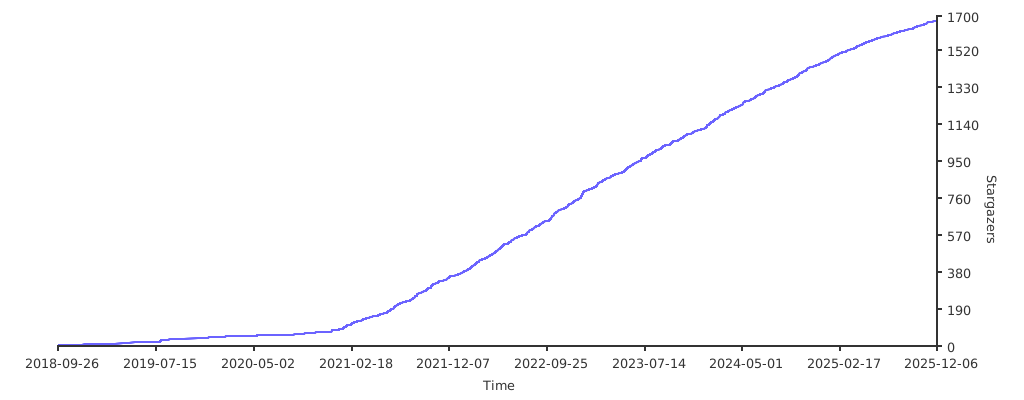](https://starchart.cc/KMKfw/kmk_firmware)
|
||||
|
||||
|
||||
|
||||
@ -9,7 +9,7 @@ kb.py is designed to work with the Teensy 4.1
|
||||
Retailers (USA)
|
||||
[Atreus62](https://shop.profetkeyboards.com/product/atreus62-keyboard)
|
||||
|
||||
Extensions enabled by default
|
||||
Extentions enabled by default
|
||||
- [Layers](https://github.com/KMKfw/kmk_firmware/tree/master/docs/layers.md) Need more keys than switches? Use layers.
|
||||
- [RGB](https://github.com/KMKfw/kmk_firmware/tree/master/docs/rgb.md) Light it up
|
||||
- [Encoder](https://github.com/KMKfw/kmk_firmware/tree/master/docs/encoder.md) Twist control for all the things
|
||||
|
||||
@ -1,7 +1,9 @@
|
||||
import board
|
||||
|
||||
from kmk.kmk_keyboard import KMKKeyboard as _KMKKeyboard
|
||||
from kmk.scanners import DiodeOrientation
|
||||
from kmk.matrix import DiodeOrientation
|
||||
|
||||
# from kmk.matrix import intify_coordinate as ic
|
||||
|
||||
|
||||
class KMKKeyboard(_KMKKeyboard):
|
||||
|
||||
@ -20,13 +20,28 @@ Zoom_out = KC.LCTRL(KC.MINUS)
|
||||
_______ = KC.TRNS
|
||||
XXXXXXX = KC.NO
|
||||
|
||||
# for use in the encoder extension
|
||||
encoder_map = [
|
||||
[
|
||||
(
|
||||
KC.VOLU,
|
||||
KC.VOLD,
|
||||
2,
|
||||
), # Only 1 encoder is being used, so only one tuple per layer is required
|
||||
],
|
||||
[
|
||||
(Zoom_in, Zoom_out, 1),
|
||||
],
|
||||
[
|
||||
(_______, _______, 1), # no action taken by the encoder on this layer
|
||||
],
|
||||
]
|
||||
|
||||
layers_ext = Layers()
|
||||
|
||||
# 1 encoder, no button, inversed = True
|
||||
encoder_ext = EncoderHandler(
|
||||
(board.D40, board.D41, None, True),
|
||||
)
|
||||
encoder_ext = EncoderHandler([board.D40], [board.D41], encoder_map)
|
||||
encoder_ext.encoders[0].is_inverted = True
|
||||
|
||||
keyboard.modules = [layers_ext, encoder_ext]
|
||||
|
||||
keyboard.tap_time = 250
|
||||
@ -201,23 +216,5 @@ keyboard.keymap = [
|
||||
],
|
||||
]
|
||||
|
||||
|
||||
# for use in the encoder extension
|
||||
encoder_map = [
|
||||
[
|
||||
(
|
||||
KC.VOLU,
|
||||
KC.VOLD,
|
||||
None,
|
||||
), # Only 1 encoder is being used, so only one tuple per layer is required
|
||||
],
|
||||
[
|
||||
(Zoom_in, Zoom_out, None),
|
||||
],
|
||||
[
|
||||
(_______, _______, None), # no action taken by the encoder on this layer
|
||||
],
|
||||
]
|
||||
|
||||
if __name__ == '__main__':
|
||||
keyboard.go()
|
||||
|
||||
@ -9,5 +9,5 @@ kb.py is designed to work with the nice!nano
|
||||
Retailers (USA)
|
||||
[Boardsource](https://boardsource.xyz/store/5ecc2008eee64242946c98c1)
|
||||
|
||||
Extensions enabled by default
|
||||
Extentions enabled by default
|
||||
- [Layers](https://github.com/KMKfw/kmk_firmware/tree/master/docs/layers.md) Need more keys than switches? Use layers.
|
||||
|
||||
@ -1,7 +1,7 @@
|
||||
import board
|
||||
|
||||
from kmk.kmk_keyboard import KMKKeyboard as _KMKKeyboard
|
||||
from kmk.scanners import DiodeOrientation
|
||||
from kmk.matrix import DiodeOrientation
|
||||
|
||||
|
||||
class KMKKeyboard(_KMKKeyboard):
|
||||
|
||||
@ -1,5 +1,4 @@
|
||||
from kb import KMKKeyboard
|
||||
|
||||
from kmk.keys import KC
|
||||
from kmk.modules.layers import Layers
|
||||
|
||||
|
||||
@ -13,9 +13,9 @@ Retailers (USA)
|
||||
Low profile 4x12
|
||||
[Boardsource](https://boardsource.xyz/store/5ecb7dad86879c9a0c22db32)
|
||||
|
||||
Extensions enabled by default
|
||||
Extentions enabled by default
|
||||
- [Layers](https://github.com/KMKfw/kmk_firmware/tree/master/docs/layers.md) Need more keys than switches? Use layers.
|
||||
- [MediaKeys](https://github.com/KMKfw/kmk_firmware/tree/master/docs/media_keys.md) Control volume and other media functions
|
||||
|
||||
Common Extensions
|
||||
Common Extentions
|
||||
- [Power](https://github.com/KMKfw/kmk_firmware/tree/master/docs/power.md) Powersaving features for battery life
|
||||
|
||||
@ -1,7 +1,7 @@
|
||||
import board
|
||||
|
||||
from kmk.kmk_keyboard import KMKKeyboard as _KMKKeyboard
|
||||
from kmk.scanners import DiodeOrientation
|
||||
from kmk.matrix import DiodeOrientation
|
||||
|
||||
|
||||
class KMKKeyboard(_KMKKeyboard):
|
||||
|
||||
@ -1,5 +1,4 @@
|
||||
from kb import KMKKeyboard
|
||||
|
||||
from kmk.extensions.media_keys import MediaKeys
|
||||
from kmk.keys import KC
|
||||
from kmk.modules.layers import Layers
|
||||
|
||||
@ -13,9 +13,9 @@ Retailers (USA)
|
||||
Low Profile 5x12
|
||||
[Boardsource](https://boardsource.xyz/store/5ecb822386879c9a0c22db84)
|
||||
|
||||
Extensions enabled by default
|
||||
Extentions enabled by default
|
||||
- [Layers](https://github.com/KMKfw/kmk_firmware/tree/master/docs/layers.md) Need more keys than switches? Use layers.
|
||||
- [MediaKeys](https://github.com/KMKfw/kmk_firmware/tree/master/docs/media_keys.md) Control volume and other media functions
|
||||
|
||||
Common Extensions
|
||||
Common Extentions
|
||||
- [Power](https://github.com/KMKfw/kmk_firmware/tree/master/docs/power.md) Powersaving features for battery life
|
||||
|
||||
@ -1,7 +1,7 @@
|
||||
import board
|
||||
|
||||
from kmk.kmk_keyboard import KMKKeyboard as _KMKKeyboard
|
||||
from kmk.scanners import DiodeOrientation
|
||||
from kmk.matrix import DiodeOrientation
|
||||
|
||||
|
||||
class KMKKeyboard(_KMKKeyboard):
|
||||
|
||||
@ -1,5 +1,4 @@
|
||||
from kb import KMKKeyboard
|
||||
|
||||
from kmk.extensions.media_keys import MediaKeys
|
||||
from kmk.keys import KC
|
||||
from kmk.modules.layers import Layers
|
||||
|
||||
@ -9,11 +9,11 @@ kb.py is designed to work with the nice!nano
|
||||
Retailers (USA)
|
||||
[Boardsource](https://boardsource.xyz/store/5f2e7e4a2902de7151494f92)
|
||||
|
||||
Extensions enabled by default
|
||||
Extentions enabled by default
|
||||
- [Layers](https://github.com/KMKfw/kmk_firmware/tree/master/docs/layers.md) Need more keys than switches? Use layers.
|
||||
- [BLE_Split](https://github.com/KMKfw/kmk_firmware/tree/master/docs/split_keyboards.md) Connects halves without wires
|
||||
- [BLE_Split](https://github.com/KMKfw/kmk_firmware/tree/master/docs/split.md) Connects halves without wires
|
||||
- [ModTap](https://github.com/KMKfw/kmk_firmware/tree/master/docs/modtap.md) Allows mod keys to act as different keys when tapped.
|
||||
|
||||
Common Extensions
|
||||
- [Split](https://github.com/KMKfw/kmk_firmware/tree/master/docs/split_keyboards.md) Connects halves using a wire
|
||||
Common Extentions
|
||||
- [Split](https://github.com/KMKfw/kmk_firmware/tree/master/docs/split.md) Connects halves using a wire
|
||||
- [Power](https://github.com/KMKfw/kmk_firmware/tree/master/docs/power.md) Powersaving features for battery life
|
||||
|
||||
@ -1,7 +1,8 @@
|
||||
import board
|
||||
|
||||
from kmk.kmk_keyboard import KMKKeyboard as _KMKKeyboard
|
||||
from kmk.scanners import DiodeOrientation
|
||||
from kmk.matrix import DiodeOrientation
|
||||
from kmk.matrix import intify_coordinate as ic
|
||||
|
||||
|
||||
class KMKKeyboard(_KMKKeyboard):
|
||||
@ -14,11 +15,10 @@ class KMKKeyboard(_KMKKeyboard):
|
||||
i2c = board.I2C
|
||||
powersave_pin = board.P0_13
|
||||
|
||||
# NOQA
|
||||
# flake8: noqa
|
||||
coord_mapping = [
|
||||
0, 1, 2, 3, 4, 20, 21, 22, 23, 24,
|
||||
5, 6, 7, 8, 9, 25, 26, 27, 28, 29,
|
||||
10, 11, 12, 13, 14, 30, 31, 32, 33, 34,
|
||||
17, 18, 19, 35, 36, 37,
|
||||
]
|
||||
coord_mapping = []
|
||||
coord_mapping.extend(ic(0, x) for x in range(10))
|
||||
coord_mapping.extend(ic(1, x) for x in range(10))
|
||||
coord_mapping.extend(ic(2, x) for x in range(10))
|
||||
|
||||
# And now, to handle R3, which at this point is down to just six keys
|
||||
coord_mapping.extend(ic(3, x) for x in range(3, 9))
|
||||
|
||||
@ -1,5 +1,4 @@
|
||||
from kb import KMKKeyboard
|
||||
|
||||
from kmk.keys import KC
|
||||
from kmk.modules.layers import Layers
|
||||
from kmk.modules.split import Split, SplitSide, SplitType
|
||||
|
||||
@ -17,11 +17,11 @@ Corne
|
||||
Corne LP
|
||||
[Boardsource](https://boardsource.xyz/store/5f2efc462902de7151495057)
|
||||
|
||||
Extensions enabled by default
|
||||
Extentions enabled by default
|
||||
- [Layers](https://github.com/KMKfw/kmk_firmware/tree/master/docs/layers.md) Need more keys than switches? Use layers.
|
||||
- [RGB](https://github.com/KMKfw/kmk_firmware/tree/master/docs/rgb.md) Light it up
|
||||
- [BLE_Split](https://github.com/KMKfw/kmk_firmware/tree/master/docs/split_keyboards.md) Connects halves without wires
|
||||
- [BLE_Split](https://github.com/KMKfw/kmk_firmware/tree/master/docs/split.md) Connects halves without wires
|
||||
|
||||
Common Extensions
|
||||
- [Split](https://github.com/KMKfw/kmk_firmware/tree/master/docs/split_keyboards.md) Connects halves using a wire
|
||||
Common Extentions
|
||||
- [Split](https://github.com/KMKfw/kmk_firmware/tree/master/docs/split.md) Connects halves using a wire
|
||||
- [Power](https://github.com/KMKfw/kmk_firmware/tree/master/docs/power.md) Powersaving features for battery life
|
||||
|
||||
@ -1,7 +1,8 @@
|
||||
import board
|
||||
|
||||
from kmk.kmk_keyboard import KMKKeyboard as _KMKKeyboard
|
||||
from kmk.scanners import DiodeOrientation
|
||||
from kmk.matrix import DiodeOrientation
|
||||
from kmk.matrix import intify_coordinate as ic
|
||||
|
||||
|
||||
class KMKKeyboard(_KMKKeyboard):
|
||||
@ -20,11 +21,10 @@ class KMKKeyboard(_KMKKeyboard):
|
||||
i2c = board.I2C
|
||||
powersave_pin = board.P0_13
|
||||
|
||||
# flake8: noqa
|
||||
coord_mapping = [
|
||||
0, 1, 2, 3, 4, 5, 29, 28, 27, 26, 25, 24,
|
||||
6, 7, 8, 9, 10, 11, 35, 34, 33, 32, 31, 30,
|
||||
12, 13, 14, 15, 16, 17, 41, 40, 39, 38, 37, 36,
|
||||
21, 22, 23, 47, 46, 45,
|
||||
]
|
||||
coord_mapping = []
|
||||
coord_mapping.extend(ic(0, x) for x in range(12))
|
||||
coord_mapping.extend(ic(1, x) for x in range(12))
|
||||
coord_mapping.extend(ic(2, x) for x in range(12))
|
||||
|
||||
# And now, to handle R3, which at this point is down to just six keys
|
||||
coord_mapping.extend(ic(3, x) for x in range(3, 9))
|
||||
|
||||
@ -1,7 +1,8 @@
|
||||
import board
|
||||
|
||||
from kmk.kmk_keyboard import KMKKeyboard as _KMKKeyboard
|
||||
from kmk.scanners import DiodeOrientation
|
||||
from kmk.matrix import DiodeOrientation
|
||||
from kmk.matrix import intify_coordinate as ic
|
||||
|
||||
|
||||
class KMKKeyboard(_KMKKeyboard):
|
||||
@ -19,10 +20,10 @@ class KMKKeyboard(_KMKKeyboard):
|
||||
rgb_pixel_pin = board.D0
|
||||
i2c = board.I2C
|
||||
|
||||
# flake8: noqa
|
||||
coord_mapping = [
|
||||
0, 1, 2, 3, 4, 5, 29, 28, 27, 26, 25, 24,
|
||||
6, 7, 8, 9, 10, 11, 35, 34, 33, 32, 31, 30,
|
||||
12, 13, 14, 15, 16, 17, 41, 40, 39, 38, 37, 36,
|
||||
21, 22, 23, 47, 46, 45,
|
||||
]
|
||||
coord_mapping = []
|
||||
coord_mapping.extend(ic(0, x) for x in range(12))
|
||||
coord_mapping.extend(ic(1, x) for x in range(12))
|
||||
coord_mapping.extend(ic(2, x) for x in range(12))
|
||||
|
||||
# And now, to handle R3, which at this point is down to just six keys
|
||||
coord_mapping.extend(ic(3, x) for x in range(3, 9))
|
||||
|
||||
@ -1,5 +1,4 @@
|
||||
from kb import KMKKeyboard
|
||||
|
||||
from kmk.extensions.rgb import RGB
|
||||
from kmk.keys import KC
|
||||
from kmk.modules.layers import Layers
|
||||
|
||||
@ -11,14 +11,11 @@ Hardware Availability: [PCB & Case Source](https://github.com/jpconstantineau/Er
|
||||
Retailers (USA)
|
||||
[Boardsource](https://boardsource.xyz/store/5eed23430883e03ef9a69d6a)
|
||||
|
||||
Retailers (Canada)
|
||||
[BlueMicro Store (ErgoTravel's creator)](https://store.jpconstantineau.com/#/group/split_boards)
|
||||
|
||||
Extensions enabled by default
|
||||
Extentions enabled by default
|
||||
- [Layers](https://github.com/KMKfw/kmk_firmware/tree/master/docs/layers.md) Need more keys than switches? Use layers.
|
||||
- [BLE_Split](https://github.com/KMKfw/kmk_firmware/tree/master/docs/split_keyboards.md) Connects halves without wires
|
||||
- [BLE_Split](https://github.com/KMKfw/kmk_firmware/tree/master/docs/split.md) Connects halves without wires
|
||||
- [MediaKeys](https://github.com/KMKfw/kmk_firmware/tree/master/docs/media_keys.md) Control volume and other media functions
|
||||
|
||||
Common Extensions
|
||||
- [Split](https://github.com/KMKfw/kmk_firmware/tree/master/docs/split_keyboards.md) Connects halves using a wire
|
||||
Common Extentions
|
||||
- [Split](https://github.com/KMKfw/kmk_firmware/tree/master/docs/split.md) Connects halves using a wire
|
||||
- [Power](https://github.com/KMKfw/kmk_firmware/tree/master/docs/power.md) Powersaving features for battery life
|
||||
|
||||
@ -1,7 +1,8 @@
|
||||
import board
|
||||
|
||||
from kmk.kmk_keyboard import KMKKeyboard as _KMKKeyboard
|
||||
from kmk.scanners import DiodeOrientation
|
||||
from kmk.matrix import DiodeOrientation
|
||||
from kmk.matrix import intify_coordinate as ic
|
||||
|
||||
|
||||
class KMKKeyboard(_KMKKeyboard):
|
||||
@ -23,11 +24,10 @@ class KMKKeyboard(_KMKKeyboard):
|
||||
i2c = board.I2C
|
||||
powersave_pin = board.P0_13
|
||||
|
||||
# NOQA
|
||||
# flake8: noqa
|
||||
coord_mapping = [
|
||||
0, 1, 2, 3, 4, 5, 6, 34, 33, 32, 31, 30, 29, 28,
|
||||
7, 8, 9, 10, 11, 12, 13, 41, 40, 39, 38, 37, 36, 35,
|
||||
14, 15, 16, 17, 18, 19, 20, 48, 47, 46, 45, 44, 43, 42,
|
||||
21, 22, 23, 24, 25, 26, 54, 53, 52, 51, 50, 49,
|
||||
]
|
||||
coord_mapping = []
|
||||
coord_mapping.extend(ic(0, x) for x in range(14))
|
||||
coord_mapping.extend(ic(1, x) for x in range(14))
|
||||
coord_mapping.extend(ic(2, x) for x in range(14))
|
||||
|
||||
# And now, to handle R3, which at this point is down to just six keys
|
||||
coord_mapping.extend(ic(3, x) for x in range(3, 12))
|
||||
|
||||
@ -1,5 +1,4 @@
|
||||
from kb import KMKKeyboard
|
||||
|
||||
from kmk.extensions.media_keys import MediaKeys
|
||||
from kmk.keys import KC
|
||||
from kmk.modules.layers import Layers
|
||||
|
||||
@ -8,10 +8,10 @@ kb.py is designed to work with the nice!nano
|
||||
|
||||
Hardware Availability: [Gherkin project on 40% Keyboards](http://www.40percent.club/2016/11/gherkin.html)
|
||||
|
||||
Extensions enabled by default
|
||||
Extentions enabled by default
|
||||
- [Layers](https://github.com/KMKfw/kmk_firmware/tree/master/docs/layers.md) Need more keys than switches? Use layers.
|
||||
- [ModTap](https://github.com/KMKfw/kmk_firmware/tree/master/docs/modtap.md) Allows mod keys to act as different keys when tapped.
|
||||
- [LED](https://github.com/KMKfw/kmk_firmware/tree/master/docs/led.md) Light your keys up
|
||||
|
||||
Common Extensions
|
||||
Common Extentions
|
||||
- [Power](https://github.com/KMKfw/kmk_firmware/tree/master/docs/power.md) Powersaving features for battery life
|
||||
|
||||
@ -1,7 +1,7 @@
|
||||
import board
|
||||
|
||||
from kmk.kmk_keyboard import KMKKeyboard as _KMKKeyboard
|
||||
from kmk.scanners import DiodeOrientation
|
||||
from kmk.matrix import DiodeOrientation
|
||||
|
||||
|
||||
class KMKKeyboard(_KMKKeyboard):
|
||||
|
||||
@ -1,5 +1,4 @@
|
||||
from kb import KMKKeyboard
|
||||
|
||||
from kmk.extensions.led import LED
|
||||
from kmk.keys import KC
|
||||
from kmk.modules.layers import Layers
|
||||
|
||||
@ -9,10 +9,10 @@ kb_converter.py is designed to work with an itsybitsy with converter board found
|
||||
|
||||
Hardware Availability: [Luddite project on 40% Keyboards](http://www.40percent.club/search/label/luddite)
|
||||
|
||||
Extensions enabled by default
|
||||
Extentions enabled by default
|
||||
- [Layers](https://github.com/KMKfw/kmk_firmware/tree/master/docs/layers.md) Need more keys than switches? Use layers.
|
||||
- [RGB](https://github.com/KMKfw/kmk_firmware/tree/master/docs/rgb.md) RGB underglow
|
||||
- [LED](https://github.com/KMKfw/kmk_firmware/tree/master/docs/led.md) Light your keys up
|
||||
|
||||
Common Extensions
|
||||
Common Extentions
|
||||
- [Power](https://github.com/KMKfw/kmk_firmware/tree/master/docs/power.md) Powersaving features for battery life
|
||||
|
||||
@ -1,7 +1,7 @@
|
||||
import board
|
||||
|
||||
from kmk.kmk_keyboard import KMKKeyboard as _KMKKeyboard
|
||||
from kmk.scanners import DiodeOrientation
|
||||
from kmk.matrix import DiodeOrientation
|
||||
|
||||
|
||||
class KMKKeyboard(_KMKKeyboard):
|
||||
|
||||
@ -1,7 +1,7 @@
|
||||
import board
|
||||
|
||||
from kmk.kmk_keyboard import KMKKeyboard as _KMKKeyboard
|
||||
from kmk.scanners import DiodeOrientation
|
||||
from kmk.matrix import DiodeOrientation
|
||||
|
||||
|
||||
class KMKKeyboard(_KMKKeyboard):
|
||||
|
||||
@ -1,5 +1,4 @@
|
||||
from kb import KMKKeyboard
|
||||
|
||||
from kmk.extensions.led import LED
|
||||
from kmk.extensions.rgb import RGB
|
||||
from kmk.keys import KC
|
||||
|
||||
@ -1,13 +0,0 @@
|
||||
# JPConstantineau's Batreus44: An Atreus44 clone with Low Profile Switches and Wireless Options!
|
||||
|
||||

|
||||
|
||||
44 Keys Low Profile Keyboard inspired from Keyboardio's Atreus with a socket for a NiceNano, BlueMicro840 or Pro Micro RP2040 and a place to solder in a Battery.
|
||||
|
||||
kb_BlueMicro840.py is designed to work with the BlueMicro840
|
||||
|
||||
Retailers (USA)
|
||||
|
||||
Extensions enabled by default
|
||||
- [Layers](https://github.com/KMKfw/kmk_firmware/tree/master/docs/layers.md) Need more keys than switches? Use layers.
|
||||
- [MediaKeys](https://github.com/KMKfw/kmk_firmware/tree/master/docs/media_keys.md) Control volume and other media functions
|
||||
@ -1,23 +0,0 @@
|
||||
import board
|
||||
|
||||
from kmk.kmk_keyboard import KMKKeyboard as _KMKKeyboard
|
||||
from kmk.scanners import DiodeOrientation
|
||||
|
||||
|
||||
class KMKKeyboard(_KMKKeyboard):
|
||||
col_pins = (
|
||||
board.P0_15,
|
||||
board.P0_17,
|
||||
board.P0_20,
|
||||
board.P0_13,
|
||||
board.P0_24,
|
||||
board.P0_09,
|
||||
board.P0_03,
|
||||
board.P1_13,
|
||||
board.P0_02,
|
||||
board.P0_29,
|
||||
board.P0_26,
|
||||
board.P0_30,
|
||||
)
|
||||
row_pins = (board.P0_28, board.P1_11, board.P0_10, board.P1_06)
|
||||
diode_orientation = DiodeOrientation.COL2ROW
|
||||
@ -1,15 +0,0 @@
|
||||
# JPConstantineau's PyKey60
|
||||
|
||||

|
||||
|
||||
A 60% RGB Keyboard PCB with Hot Swap Sockets, running CircuitPython on a RP2040 Soldered on board.
|
||||
|
||||
kb.py is designed to work with the [PyKey60 CircuitPython UF2](https://circuitpython.org/board/jpconstantineau_pykey60/)
|
||||
|
||||
Retailers (USA)
|
||||
[BlueMicro Store on Tindie](https://www.tindie.com/products/jpconstantineau/pykey60-rgb-keyboard-pcb-with-a-rp2040/)
|
||||
|
||||
Extensions enabled by default
|
||||
- [Layers](https://github.com/KMKfw/kmk_firmware/tree/master/docs/layers.md) Need more keys than switches? Use layers.
|
||||
- [RGB](https://github.com/KMKfw/kmk_firmware/tree/master/docs/rgb.md) Light it up
|
||||
- [MediaKeys](https://github.com/KMKfw/kmk_firmware/tree/master/docs/media_keys.md) Control volume and other media functions
|
||||
@ -1,27 +0,0 @@
|
||||
import board
|
||||
|
||||
from kmk.kmk_keyboard import KMKKeyboard as _KMKKeyboard
|
||||
from kmk.scanners import DiodeOrientation
|
||||
|
||||
|
||||
class KMKKeyboard(_KMKKeyboard):
|
||||
col_pins = (
|
||||
board.COL1,
|
||||
board.COL2,
|
||||
board.COL3,
|
||||
board.COL4,
|
||||
board.COL5,
|
||||
board.COL6,
|
||||
board.COL7,
|
||||
board.COL8,
|
||||
board.COL9,
|
||||
board.COL10,
|
||||
board.COL11,
|
||||
board.COL12,
|
||||
board.COL13,
|
||||
board.COL14,
|
||||
)
|
||||
row_pins = (board.ROW1, board.ROW2, board.ROW3, board.ROW4, board.ROW5)
|
||||
diode_orientation = DiodeOrientation.COL2ROW
|
||||
rgb_pixel_pin = board.NEOPIXEL
|
||||
rgb_num_pixels = 61
|
||||
@ -1,15 +0,0 @@
|
||||
# JPConstantineau's GridMX47: A Planck clone
|
||||
|
||||
/i/556481/products/2021-10-26T23%3A29%3A50.131Z-PXL_20211026_230848859.jpg?1635265805)
|
||||
|
||||
47 Keys RGB Keyboard inspired from OLKB's Planck with a Raspberry Pi Pico
|
||||
|
||||
kb.py is designed to work with the [Pico CircuitPython UF2](https://circuitpython.org/board/raspberry_pi_pico/)
|
||||
|
||||
Retailers (USA)
|
||||
[BlueMicro Store on Tindie](https://www.tindie.com/products/jpconstantineau/47-keys-rgb-keyboard-using-raspberry-pi-pico/)
|
||||
|
||||
Extensions enabled by default
|
||||
- [Layers](https://github.com/KMKfw/kmk_firmware/tree/master/docs/layers.md) Need more keys than switches? Use layers.
|
||||
- [RGB](https://github.com/KMKfw/kmk_firmware/tree/master/docs/rgb.md) Light it up
|
||||
- [MediaKeys](https://github.com/KMKfw/kmk_firmware/tree/master/docs/media_keys.md) Control volume and other media functions
|
||||
@ -1,25 +0,0 @@
|
||||
import board
|
||||
|
||||
from kmk.kmk_keyboard import KMKKeyboard as _KMKKeyboard
|
||||
from kmk.scanners import DiodeOrientation
|
||||
|
||||
|
||||
class KMKKeyboard(_KMKKeyboard):
|
||||
col_pins = (
|
||||
board.GP11,
|
||||
board.GP12,
|
||||
board.GP13,
|
||||
board.GP14,
|
||||
board.GP15,
|
||||
board.GP19,
|
||||
board.GP20,
|
||||
board.GP21,
|
||||
board.GP22,
|
||||
board.GP26,
|
||||
board.GP27,
|
||||
board.GP28,
|
||||
)
|
||||
row_pins = (board.GP7, board.GP8, board.GP9, board.GP10)
|
||||
diode_orientation = DiodeOrientation.COL2ROW
|
||||
rgb_pixel_pin = board.GP6
|
||||
rgb_num_pixels = 47
|
||||
@ -1,15 +0,0 @@
|
||||
# JPConstantineau's OffsetMX43: A 40% Staggered keyboard
|
||||
|
||||
/i/556481/products/2021-10-26T23%3A40%3A53.317Z-PXL_20211026_234121626.jpg?1635266543)
|
||||
|
||||
43 Keys RGB Keyboard the same size as the GridMX47 but with staggered keys instead of ortholinear (keys in a grid). Uses a Raspberry Pi Pico as the controller.
|
||||
|
||||
kb.py is designed to work with the [Pico CircuitPython UF2](https://circuitpython.org/board/raspberry_pi_pico/)
|
||||
|
||||
Retailers (USA)
|
||||
[BlueMicro Store on Tindie](https://www.tindie.com/products/jpconstantineau/43-keys-rgb-keyboard-using-raspberry-pi-pico/)
|
||||
|
||||
Extensions enabled by default
|
||||
- [Layers](https://github.com/KMKfw/kmk_firmware/tree/master/docs/layers.md) Need more keys than switches? Use layers.
|
||||
- [RGB](https://github.com/KMKfw/kmk_firmware/tree/master/docs/rgb.md) Light it up
|
||||
- [MediaKeys](https://github.com/KMKfw/kmk_firmware/tree/master/docs/media_keys.md) Control volume and other media functions
|
||||
@ -1,25 +0,0 @@
|
||||
import board
|
||||
|
||||
from kmk.kmk_keyboard import KMKKeyboard as _KMKKeyboard
|
||||
from kmk.scanners import DiodeOrientation
|
||||
|
||||
|
||||
class KMKKeyboard(_KMKKeyboard):
|
||||
col_pins = (
|
||||
board.GP11,
|
||||
board.GP12,
|
||||
board.GP13,
|
||||
board.GP14,
|
||||
board.GP15,
|
||||
board.GP19,
|
||||
board.GP20,
|
||||
board.GP21,
|
||||
board.GP22,
|
||||
board.GP26,
|
||||
board.GP27,
|
||||
board.GP28,
|
||||
)
|
||||
row_pins = (board.GP7, board.GP8, board.GP9, board.GP10)
|
||||
diode_orientation = DiodeOrientation.COL2ROW
|
||||
rgb_pixel_pin = board.GP6
|
||||
rgb_num_pixels = 47
|
||||
@ -1,15 +0,0 @@
|
||||
# JPConstantineau's VColChoc44: A Low Profile Atreus44 clone
|
||||
|
||||

|
||||
|
||||
44 Keys Low Profile RGB Keyboard inspired from Keyboardio's Atreus with a RP2040 Soldered on board.
|
||||
|
||||
kb.py is designed to work with the [PyKey60 CircuitPython UF2](https://circuitpython.org/board/jpconstantineau_pykey60/)
|
||||
|
||||
Retailers (USA)
|
||||
[BlueMicro Store on Tindie](https://www.tindie.com/products/jpconstantineau/low-profile-44-keys-rgb-keyboard-pcb-with-a-rp2040/)
|
||||
|
||||
Extensions enabled by default
|
||||
- [Layers](https://github.com/KMKfw/kmk_firmware/tree/master/docs/layers.md) Need more keys than switches? Use layers.
|
||||
- [RGB](https://github.com/KMKfw/kmk_firmware/tree/master/docs/rgb.md) Light it up
|
||||
- [MediaKeys](https://github.com/KMKfw/kmk_firmware/tree/master/docs/media_keys.md) Control volume and other media functions
|
||||
@ -1,24 +0,0 @@
|
||||
import board
|
||||
|
||||
from kmk.kmk_keyboard import KMKKeyboard as _KMKKeyboard
|
||||
from kmk.scanners import DiodeOrientation
|
||||
|
||||
|
||||
class KMKKeyboard(_KMKKeyboard):
|
||||
col_pins = (
|
||||
board.COL1,
|
||||
board.COL2,
|
||||
board.COL3,
|
||||
board.COL4,
|
||||
board.COL5,
|
||||
board.COL6,
|
||||
board.COL7,
|
||||
board.COL8,
|
||||
board.COL9,
|
||||
board.COL10,
|
||||
board.COL11,
|
||||
)
|
||||
row_pins = (board.ROW1, board.ROW2, board.ROW3, board.ROW4)
|
||||
diode_orientation = DiodeOrientation.COL2ROW
|
||||
rgb_pixel_pin = board.NEOPIXEL
|
||||
rgb_num_pixels = 44
|
||||
@ -1,16 +0,0 @@
|
||||
# JPConstantineau's VColMX44: An Atreus44 clone
|
||||
|
||||

|
||||
|
||||
|
||||
44 Keys RGB Keyboard inspired from Keyboardio's Atreus with a Raspberry Pi Pico
|
||||
|
||||
kb.py is designed to work with the [Pico CircuitPython UF2](https://circuitpython.org/board/raspberry_pi_pico/)
|
||||
|
||||
Retailers (USA)
|
||||
[BlueMicro Store on Tindie](https://www.tindie.com/products/jpconstantineau/44-keys-rgb-keyboard-using-raspberry-pi-pico/)
|
||||
|
||||
Extensions enabled by default
|
||||
- [Layers](https://github.com/KMKfw/kmk_firmware/tree/master/docs/layers.md) Need more keys than switches? Use layers.
|
||||
- [RGB](https://github.com/KMKfw/kmk_firmware/tree/master/docs/rgb.md) Light it up
|
||||
- [MediaKeys](https://github.com/KMKfw/kmk_firmware/tree/master/docs/media_keys.md) Control volume and other media functions
|
||||
@ -1,24 +0,0 @@
|
||||
import board
|
||||
|
||||
from kmk.kmk_keyboard import KMKKeyboard as _KMKKeyboard
|
||||
from kmk.scanners import DiodeOrientation
|
||||
|
||||
|
||||
class KMKKeyboard(_KMKKeyboard):
|
||||
col_pins = (
|
||||
board.GP20,
|
||||
board.GP19,
|
||||
board.GP18,
|
||||
board.GP17,
|
||||
board.GP16,
|
||||
board.GP5,
|
||||
board.GP4,
|
||||
board.GP3,
|
||||
board.GP2,
|
||||
board.GP1,
|
||||
board.GP0,
|
||||
)
|
||||
row_pins = (board.GP22, board.GP21, board.GP14, board.GP15)
|
||||
diode_orientation = DiodeOrientation.COL2ROW
|
||||
rgb_pixel_pin = board.GP28
|
||||
rgb_num_pixels = 44
|
||||
@ -5,11 +5,11 @@ A split keyboard with a 4x6 layout with additional 4 thumb buttons
|
||||
kb.py is designed to work with the nice!nano
|
||||
kb_converter.py is designed to work with an itsybitsy with converter board found [here](https://github.com/KMKfw/kmk_firmware/tree/master/hardware)
|
||||
|
||||
Extensions enabled by default
|
||||
Extentions enabled by default
|
||||
- [Layers](https://github.com/KMKfw/kmk_firmware/tree/master/docs/layers.md) Need more keys than switches? Use layers.
|
||||
- [RGB](https://github.com/KMKfw/kmk_firmware/tree/master/docs/rgb.md) Light it up
|
||||
- [BLE_Split](https://github.com/KMKfw/kmk_firmware/tree/master/docs/split_keyboards.md) Connects halves without wires
|
||||
- [BLE_Split](https://github.com/KMKfw/kmk_firmware/tree/master/docs/split.md) Connects halves without wires
|
||||
|
||||
Common Extensions
|
||||
- [Split](https://github.com/KMKfw/kmk_firmware/tree/master/docs/split_keyboards.md) Connects halves using a wire
|
||||
Common Extentions
|
||||
- [Split](https://github.com/KMKfw/kmk_firmware/tree/master/docs/split.md) Connects halves using a wire
|
||||
- [Power](https://github.com/KMKfw/kmk_firmware/tree/master/docs/power.md) Powersaving features for battery life
|
||||
|
||||
@ -1,7 +1,8 @@
|
||||
import board
|
||||
|
||||
from kmk.kmk_keyboard import KMKKeyboard as _KMKKeyboard
|
||||
from kmk.scanners import DiodeOrientation
|
||||
from kmk.matrix import DiodeOrientation
|
||||
from kmk.matrix import intify_coordinate as ic
|
||||
|
||||
|
||||
class KMKKeyboard(_KMKKeyboard):
|
||||
@ -22,6 +23,11 @@ class KMKKeyboard(_KMKKeyboard):
|
||||
data_pin = board.P0_20
|
||||
powersave_pin = board.P0_13
|
||||
|
||||
coord_mapping = []
|
||||
coord_mapping.extend(ic(0, x) for x in range(12))
|
||||
coord_mapping.extend(ic(1, x) for x in range(12))
|
||||
coord_mapping.extend(ic(2, x) for x in range(12))
|
||||
|
||||
# Buckle up friends, the bottom row of this keyboard is wild, and making
|
||||
# our layouts match, visually, what the keyboard looks like, requires some
|
||||
# surgery on the bottom two rows of coords
|
||||
@ -30,11 +36,10 @@ class KMKKeyboard(_KMKKeyboard):
|
||||
# just like the above three rows, however, visually speaking, the
|
||||
# top-right thumb cluster button (when looking at the left-half PCB)
|
||||
# is more inline with R3, so we'll jam that key (and its mirror) in here
|
||||
# flake8: noqa
|
||||
coord_mapping = [
|
||||
0, 1, 2, 3, 4, 5, 36, 35, 34, 33, 32, 31,
|
||||
6, 7, 8, 9, 10, 11, 42, 41, 40, 39, 38, 37,
|
||||
12, 13, 14, 15, 16, 17, 48, 47, 46, 45, 44, 43,
|
||||
18, 19, 20, 21, 22, 23, 26, 57, 54, 53, 52, 51, 50, 49,
|
||||
28, 29, 30, 60, 59, 58,
|
||||
]
|
||||
coord_mapping.extend(ic(3, x) for x in range(6))
|
||||
coord_mapping.append(ic(4, 2))
|
||||
coord_mapping.append(ic(4, 9))
|
||||
coord_mapping.extend(ic(3, x) for x in range(6, 12)) # Now, the rest of R3
|
||||
|
||||
# And now, to handle R4, which at this point is down to just six keys
|
||||
coord_mapping.extend(ic(4, x) for x in range(3, 9))
|
||||
|
||||
@ -1,7 +1,8 @@
|
||||
import board
|
||||
|
||||
from kmk.kmk_keyboard import KMKKeyboard as _KMKKeyboard
|
||||
from kmk.scanners import DiodeOrientation
|
||||
from kmk.matrix import DiodeOrientation
|
||||
from kmk.matrix import intify_coordinate as ic
|
||||
|
||||
|
||||
class KMKKeyboard(_KMKKeyboard):
|
||||
@ -13,7 +14,7 @@ class KMKKeyboard(_KMKKeyboard):
|
||||
diode_orientation = DiodeOrientation.COLUMNS
|
||||
|
||||
split_flip = True
|
||||
split_offset = (6, 6, 6, 6, 6)
|
||||
split_offsets = (6, 6, 6, 6, 6)
|
||||
split_type = 'UART'
|
||||
data_pin = board.SCL
|
||||
data_pin2 = board.SDA
|
||||
@ -22,6 +23,11 @@ class KMKKeyboard(_KMKKeyboard):
|
||||
rgb_pixel_pin = board.TX
|
||||
led_pin = board.D7
|
||||
|
||||
coord_mapping = []
|
||||
coord_mapping.extend(ic(0, x) for x in range(12))
|
||||
coord_mapping.extend(ic(1, x) for x in range(12))
|
||||
coord_mapping.extend(ic(2, x) for x in range(12))
|
||||
|
||||
# Buckle up friends, the bottom row of this keyboard is wild, and making
|
||||
# our layouts match, visually, what the keyboard looks like, requires some
|
||||
# surgery on the bottom two rows of coords
|
||||
@ -30,11 +36,10 @@ class KMKKeyboard(_KMKKeyboard):
|
||||
# just like the above three rows, however, visually speaking, the
|
||||
# top-right thumb cluster button (when looking at the left-half PCB)
|
||||
# is more inline with R3, so we'll jam that key (and its mirror) in here
|
||||
# flake8: noqa
|
||||
coord_mapping = [
|
||||
0, 1, 2, 3, 4, 5, 36, 35, 34, 33, 32, 31,
|
||||
6, 7, 8, 9, 10, 11, 42, 41, 40, 39, 38, 37,
|
||||
12, 13, 14, 15, 16, 17, 48, 47, 46, 45, 44, 43,
|
||||
18, 19, 20, 21, 22, 23, 26, 57, 54, 53, 52, 51, 50, 49,
|
||||
28, 29, 30, 60, 59, 58,
|
||||
]
|
||||
coord_mapping.extend(ic(3, x) for x in range(6))
|
||||
coord_mapping.append(ic(4, 2))
|
||||
coord_mapping.append(ic(4, 9))
|
||||
coord_mapping.extend(ic(3, x) for x in range(6, 12)) # Now, the rest of R3
|
||||
|
||||
# And now, to handle R4, which at this point is down to just six keys
|
||||
coord_mapping.extend(ic(4, x) for x in range(3, 9))
|
||||
|
||||
@ -1,5 +1,4 @@
|
||||
from kb import KMKKeyboard
|
||||
|
||||
from kmk.consts import UnicodeMode
|
||||
from kmk.extensions.rgb import RGB
|
||||
from kmk.handlers.sequences import compile_unicode_string_sequences as cuss
|
||||
|
||||
@ -5,11 +5,11 @@ A split keyboard with a 4x6 layout
|
||||
kb.py is designed to work with the nice!nano
|
||||
kb_converter.py is designed to work with an itsybitsy with converter board found [here](https://github.com/KMKfw/kmk_firmware/tree/master/hardware)
|
||||
|
||||
Extensions enabled by default
|
||||
Extentions enabled by default
|
||||
- [Layers](https://github.com/KMKfw/kmk_firmware/tree/master/docs/layers.md) Need more keys than switches? Use layers.
|
||||
- [RGB](https://github.com/KMKfw/kmk_firmware/tree/master/docs/rgb.md) Light it up
|
||||
- [BLE_Split](https://github.com/KMKfw/kmk_firmware/tree/master/docs/split_keyboards.md) Connects halves without wires
|
||||
- [BLE_Split](https://github.com/KMKfw/kmk_firmware/tree/master/docs/split.md) Connects halves without wires
|
||||
|
||||
Common Extensions
|
||||
- [Split](https://github.com/KMKfw/kmk_firmware/tree/master/docs/split_keyboards.md) Connects halves using a wire
|
||||
Common Extentions
|
||||
- [Split](https://github.com/KMKfw/kmk_firmware/tree/master/docs/split.md) Connects halves using a wire
|
||||
- [Power](https://github.com/KMKfw/kmk_firmware/tree/master/docs/power.md) Powersaving features for battery life
|
||||
|
||||
@ -1,7 +1,7 @@
|
||||
import board
|
||||
|
||||
from kmk.kmk_keyboard import KMKKeyboard as _KMKKeyboard
|
||||
from kmk.scanners import DiodeOrientation
|
||||
from kmk.matrix import DiodeOrientation
|
||||
|
||||
|
||||
class KMKKeyboard(_KMKKeyboard):
|
||||
|
||||
@ -1,7 +1,7 @@
|
||||
import board
|
||||
|
||||
from kmk.kmk_keyboard import KMKKeyboard as _KMKKeyboard
|
||||
from kmk.scanners import DiodeOrientation
|
||||
from kmk.matrix import DiodeOrientation
|
||||
|
||||
|
||||
class KMKKeyboard(_KMKKeyboard):
|
||||
|
||||
@ -1,5 +1,4 @@
|
||||
from kb import KMKKeyboard
|
||||
|
||||
from kmk.extensions.rgb import RGB
|
||||
from kmk.keys import KC
|
||||
from kmk.modules.layers import Layers
|
||||
|
||||
@ -6,11 +6,11 @@ kb.py is designed to work with the nice!nano
|
||||
kb_converter.py is designed to work with an itsybitsy with converter board found [here](https://github.com/KMKfw/kmk_firmware/tree/master/hardware)
|
||||
|
||||
|
||||
Extensions enabled by default
|
||||
Extentions enabled by default
|
||||
- [Layers](https://github.com/KMKfw/kmk_firmware/tree/master/docs/layers.md) Need more keys than switches? Use layers.
|
||||
- [RGB](https://github.com/KMKfw/kmk_firmware/tree/master/docs/rgb.md) Light it up
|
||||
- [BLE_Split](https://github.com/KMKfw/kmk_firmware/tree/master/docs/split_keyboards.md) Connects halves without wires
|
||||
- [BLE_Split](https://github.com/KMKfw/kmk_firmware/tree/master/docs/split.md) Connects halves without wires
|
||||
|
||||
Common Extensions
|
||||
- [Split](https://github.com/KMKfw/kmk_firmware/tree/master/docs/split_keyboards.md) Connects halves using a wire
|
||||
Common Extentions
|
||||
- [Split](https://github.com/KMKfw/kmk_firmware/tree/master/docs/split.md) Connects halves using a wire
|
||||
- [Power](https://github.com/KMKfw/kmk_firmware/tree/master/docs/power.md) Powersaving features for battery life
|
||||
|
||||
@ -1,7 +1,7 @@
|
||||
import board
|
||||
|
||||
from kmk.kmk_keyboard import KMKKeyboard as _KMKKeyboard
|
||||
from kmk.scanners import DiodeOrientation
|
||||
from kmk.matrix import DiodeOrientation
|
||||
|
||||
|
||||
class KMKKeyboard(_KMKKeyboard):
|
||||
|
||||
@ -1,7 +1,7 @@
|
||||
import board
|
||||
|
||||
from kmk.kmk_keyboard import KMKKeyboard as _KMKKeyboard
|
||||
from kmk.scanners import DiodeOrientation
|
||||
from kmk.matrix import DiodeOrientation
|
||||
|
||||
|
||||
class KMKKeyboard(_KMKKeyboard):
|
||||
|
||||
@ -1,5 +1,4 @@
|
||||
from kb import KMKKeyboard
|
||||
|
||||
from kmk.extensions.rgb import RGB
|
||||
from kmk.keys import KC
|
||||
from kmk.modules.layers import Layers
|
||||
|
||||
@ -1,9 +1,9 @@
|
||||
import board
|
||||
|
||||
from kmk.kmk_keyboard import KMKKeyboard as _KMKKeyboard
|
||||
from kmk.matrix import DiodeOrientation
|
||||
from kmk.matrix import intify_coordinate as ic
|
||||
from kmk.modules.layers import Layers
|
||||
from kmk.scanners import DiodeOrientation
|
||||
from kmk.scanners import intify_coordinate as ic
|
||||
|
||||
# Implements what used to be handled by KMKKeyboard.swap_indicies for this
|
||||
# board, by flipping various row3 (bottom physical row) keys so their
|
||||
@ -37,10 +37,10 @@ class KMKKeyboard(_KMKKeyboard):
|
||||
diode_orientation = DiodeOrientation.COLUMNS
|
||||
|
||||
coord_mapping = []
|
||||
coord_mapping.extend(ic(0, x, 12) for x in range(12))
|
||||
coord_mapping.extend(ic(1, x, 12) for x in range(12))
|
||||
coord_mapping.extend(ic(2, x, 12) for x in range(12))
|
||||
coord_mapping.extend(ic(3, r3_swap(x), 12) for x in range(12))
|
||||
coord_mapping.extend(ic(0, x) for x in range(12))
|
||||
coord_mapping.extend(ic(1, x) for x in range(12))
|
||||
coord_mapping.extend(ic(2, x) for x in range(12))
|
||||
coord_mapping.extend(ic(3, r3_swap(x)) for x in range(12))
|
||||
|
||||
layers_ext = Layers()
|
||||
modules = [layers_ext]
|
||||
|
||||
@ -1,53 +0,0 @@
|
||||
# Kyria Keyboard
|
||||
|
||||
A split keyboard with a 3x6 columnar stagger and 7 thumb keys. One button on each side is usually replaced by an
|
||||
encoder.
|
||||
|
||||
Official retailer of Kyria PCB: [splitkb.com](https://splitkb.com/collections/keyboard-kits/products/kyria-pcb-kit). PCB
|
||||
was designed with QMK in mind and KMK implementation is not officially supported by PCB designer and seller.
|
||||
|
||||
Keyboard works with controllers having Pro Micro layout. Existing configurations:
|
||||
|
||||
| PCB version | Board | Config file |
|
||||
|:-----------:|----------------------------------------------------------------------|---------------------------|
|
||||
| 1.* | [Sparkfun Pro Micro RP2040](https://www.sparkfun.com/products/18288) | kyria_v1_rp2040 |
|
||||
| 1.* | [Adafruit KB2040](https://www.adafruit.com/product/5302) | kyria_v1_kb2040 |
|
||||
| 2.* | [Sparkfun Pro Micro RP2040](https://www.sparkfun.com/products/18288) | _waiting for pinout docs_ |
|
||||
| 2.* | [Adafruit KB2040](https://www.adafruit.com/product/5302) | _waiting for pinout docs_ |
|
||||
|
||||
## Compatibility issues
|
||||
|
||||
- **TRRS connection** - KMK has no protocol for one-pin communication between two splits. So, if you are using TRRS wire
|
||||
connection, only right side send matrix events to the left side. No issue when using BLE.
|
||||
- **Right side encoder** - right encoder currently doesn't send updates to left half and can even freeze right half
|
||||
- **OLED screens** - OLED screens are not required, but often element of Kyria keyboards. KMK have no official OLED
|
||||
implementation, but as it's based on Circuit Python, adding one is very simple and there are many examples, also on
|
||||
KMK forks
|
||||
|
||||
## `main.py` example config
|
||||
|
||||
Current layout is based on default [QMK Kyria layout](https://config.qmk.fm/#/splitkb/kyria/rev1/LAYOUT)
|
||||
|
||||
It has the following modules/extensions enabled:
|
||||
|
||||
- [Split](https://github.com/KMKfw/kmk_firmware/tree/master/docs/split_keyboards.md) Connects halves using a wire
|
||||
- [Layers](https://github.com/KMKfw/kmk_firmware/tree/master/docs/layers.md) Do you need more keys than switches? Use
|
||||
layers.
|
||||
- [ModTap](https://github.com/KMKfw/kmk_firmware/blob/master/docs/modtap.md) Enable press/hold double binding of keys
|
||||
- [MediaKeys](https://github.com/KMKfw/kmk_firmware/blob/master/docs/media_keys.md) Common media controls
|
||||
|
||||
Also uncomment right section to enable samples of following:
|
||||
|
||||
- [RGB](https://github.com/KMKfw/kmk_firmware/tree/master/docs/rgb.md) Turn on the backlight (**requires neopixel.py
|
||||
library to work**)
|
||||
- [Encoder](https://github.com/KMKfw/kmk_firmware/blob/master/docs/encoder.md) Make the knobs do something
|
||||
|
||||
## More steps required during install
|
||||
|
||||
In order to mitigate lack of one-wire protocol, KMK use its UART implementation but with special low-level PIO
|
||||
subprogram available only on RP2040. It allows using other pins for UART than on-board RX and TX.
|
||||
|
||||
Because of the above, besides of normal installation steps, you have to also:
|
||||
|
||||
- install Circuit Python in 7.2+ version
|
||||
- add `adafruit_pioasm.mpy` library to lib or root folder of a board
|
||||
@ -1,34 +0,0 @@
|
||||
import board
|
||||
|
||||
from kmk.kmk_keyboard import KMKKeyboard as _KMKKeyboard
|
||||
from kmk.scanners import DiodeOrientation
|
||||
from kmk.scanners import intify_coordinate as ic
|
||||
|
||||
|
||||
class KMKKeyboard(_KMKKeyboard):
|
||||
col_pins = (
|
||||
board.A3,
|
||||
board.A2,
|
||||
board.A1,
|
||||
board.A0,
|
||||
board.SCK,
|
||||
board.MISO,
|
||||
board.MOSI,
|
||||
board.D10,
|
||||
)
|
||||
row_pins = (board.D8, board.D7, board.D6, board.D4)
|
||||
diode_orientation = DiodeOrientation.COL2ROW
|
||||
data_pin = board.D1
|
||||
rgb_pixel_pin = board.D0
|
||||
encoder_pin_0 = board.D9
|
||||
encoder_pin_1 = board.D5
|
||||
|
||||
coord_mapping = []
|
||||
coord_mapping.extend(ic(0, x, 8) for x in range(6))
|
||||
coord_mapping.extend(ic(4, x, 8) for x in range(5, -1, -1))
|
||||
coord_mapping.extend(ic(1, x, 8) for x in range(6))
|
||||
coord_mapping.extend(ic(5, x, 8) for x in range(5, -1, -1))
|
||||
coord_mapping.extend(ic(2, x, 8) for x in range(8))
|
||||
coord_mapping.extend(ic(6, x, 8) for x in range(7, -1, -1))
|
||||
coord_mapping.extend(ic(3, x, 8) for x in range(3, 8))
|
||||
coord_mapping.extend(ic(7, x, 8) for x in range(7, 2, -1))
|
||||
@ -1,34 +0,0 @@
|
||||
import board
|
||||
|
||||
from kmk.kmk_keyboard import KMKKeyboard as _KMKKeyboard
|
||||
from kmk.scanners import DiodeOrientation
|
||||
from kmk.scanners import intify_coordinate as ic
|
||||
|
||||
|
||||
class KMKKeyboard(_KMKKeyboard):
|
||||
col_pins = (
|
||||
board.D29,
|
||||
board.D28,
|
||||
board.D27,
|
||||
board.D26,
|
||||
board.D22,
|
||||
board.D20,
|
||||
board.D23,
|
||||
board.D21,
|
||||
)
|
||||
row_pins = (board.D8, board.D7, board.D6, board.D4)
|
||||
diode_orientation = DiodeOrientation.COL2ROW
|
||||
data_pin = board.RX
|
||||
rgb_pixel_pin = board.D0
|
||||
encoder_pin_0 = board.D9
|
||||
encoder_pin_1 = board.D5
|
||||
|
||||
coord_mapping = []
|
||||
coord_mapping.extend(ic(0, x, 8) for x in range(6))
|
||||
coord_mapping.extend(ic(4, x, 8) for x in range(5, -1, -1))
|
||||
coord_mapping.extend(ic(1, x, 8) for x in range(6))
|
||||
coord_mapping.extend(ic(5, x, 8) for x in range(5, -1, -1))
|
||||
coord_mapping.extend(ic(2, x, 8) for x in range(8))
|
||||
coord_mapping.extend(ic(6, x, 8) for x in range(7, -1, -1))
|
||||
coord_mapping.extend(ic(3, x, 8) for x in range(3, 8))
|
||||
coord_mapping.extend(ic(7, x, 8) for x in range(7, 2, -1))
|
||||
@ -1,99 +0,0 @@
|
||||
from kyria_v1_rp2040 import KMKKeyboard
|
||||
|
||||
from kmk.extensions.media_keys import MediaKeys
|
||||
from kmk.extensions.rgb import RGB, AnimationModes
|
||||
from kmk.keys import KC
|
||||
from kmk.modules.encoder import EncoderHandler
|
||||
from kmk.modules.layers import Layers
|
||||
from kmk.modules.modtap import ModTap
|
||||
from kmk.modules.split import Split, SplitType
|
||||
|
||||
keyboard = KMKKeyboard()
|
||||
keyboard.debug_enabled = True
|
||||
|
||||
keyboard.modules.append(Layers())
|
||||
keyboard.modules.append(ModTap())
|
||||
keyboard.extensions.append(MediaKeys())
|
||||
|
||||
# Using drive names (KYRIAL, KYRIAR) to recognize sides; use split_side arg if you're not doing it
|
||||
split = Split(split_type=SplitType.UART, use_pio=True)
|
||||
keyboard.modules.append(split)
|
||||
|
||||
# Uncomment below if you're using encoder
|
||||
encoder_handler = EncoderHandler()
|
||||
encoder_handler.pins = ((keyboard.encoder_pin_0, keyboard.encoder_pin_1, None, False),)
|
||||
|
||||
# Uncomment below if you're having RGB
|
||||
rgb_ext = RGB(
|
||||
pixel_pin=keyboard.rgb_pixel_pin,
|
||||
num_pixels=10,
|
||||
animation_mode=AnimationModes.BREATHING_RAINBOW,
|
||||
)
|
||||
keyboard.extensions.append(rgb_ext)
|
||||
|
||||
# Edit your layout below
|
||||
# Currently, that's a default QMK Kyria Layout - https://config.qmk.fm/#/splitkb/kyria/rev1/LAYOUT
|
||||
ESC_LCTL = KC.MT(KC.ESC, KC.LCTL)
|
||||
QUOTE_RCTL = KC.MT(KC.QUOTE, KC.RCTL)
|
||||
ENT_LALT = KC.MT(KC.ENT, KC.LALT)
|
||||
MINUS_RCTL = KC.MT(KC.MINUS, KC.RCTL)
|
||||
keyboard.keymap = [
|
||||
[
|
||||
KC.TAB, KC.Q, KC.W, KC.E, KC.R, KC.T, KC.Y, KC.U, KC.I, KC.O, KC.P, KC.BSPC,
|
||||
ESC_LCTL, KC.A, KC.S, KC.D, KC.F, KC.G, KC.H, KC.J, KC.K, KC.L, KC.SCLN, QUOTE_RCTL,
|
||||
KC.LSFT, KC.Z, KC.X, KC.C, KC.V, KC.B, KC.LBRC, KC.CAPS, KC.MO(5), KC.RBRC, KC.N, KC.M, KC.COMM, KC.DOT, KC.SLSH, KC.RSFT,
|
||||
KC.MO(6), KC.LGUI, ENT_LALT, KC.SPC, KC.MO(3), KC.MO(4), KC.SPC, KC.RALT, KC.RGUI, KC.APP,
|
||||
],
|
||||
[
|
||||
KC.TAB, KC.QUOT, KC.COMM, KC.DOT, KC.P, KC.Y, KC.F, KC.G, KC.C, KC.R, KC.L, KC.BSPC,
|
||||
ESC_LCTL, KC.A, KC.O, KC.E, KC.U, KC.I, KC.D, KC.H, KC.T, KC.N, KC.S, MINUS_RCTL,
|
||||
KC.LSFT, KC.SCLN, KC.Q, KC.J, KC.K, KC.X, KC.LBRC, KC.CAPS, KC.MO(5), KC.RBRC, KC.B, KC.M, KC.W, KC.V, KC.Z, KC.RSFT,
|
||||
KC.MO(6), KC.LGUI, ENT_LALT, KC.SPC, KC.MO(3), KC.MO(4), KC.SPC, KC.RALT, KC.RGUI, KC.APP,
|
||||
],
|
||||
[
|
||||
KC.TAB, KC.Q, KC.W, KC.F, KC.P, KC.B, KC.J, KC.L, KC.U, KC.Y, KC.SCLN, KC.BSPC,
|
||||
ESC_LCTL, KC.A, KC.R, KC.S, KC.T, KC.G, KC.M, KC.N, KC.E, KC.I, KC.O, QUOTE_RCTL,
|
||||
KC.LSFT, KC.Z, KC.X, KC.C, KC.D, KC.V, KC.LBRC, KC.CAPS, KC.MO(5), KC.RBRC, KC.K, KC.H, KC.COMM, KC.DOT, KC.SLSH, KC.RSFT,
|
||||
KC.MO(6), KC.LGUI, ENT_LALT, KC.SPC, KC.MO(3), KC.MO(4), KC.SPC, KC.RALT, KC.RGUI, KC.APP,
|
||||
],
|
||||
[
|
||||
KC.TRNS, KC.TRNS, KC.TRNS, KC.TRNS, KC.TRNS, KC.TRNS, KC.PGUP, KC.HOME, KC.UP, KC.END, KC.VOLU, KC.DEL,
|
||||
KC.TRNS, KC.LGUI, KC.LALT, KC.LCTL, KC.LSFT, KC.TRNS, KC.PGDN, KC.LEFT, KC.DOWN, KC.RGHT, KC.VOLD, KC.INS,
|
||||
KC.TRNS, KC.TRNS, KC.TRNS, KC.TRNS, KC.TRNS, KC.TRNS, KC.TRNS, KC.SLCK, KC.TRNS, KC.TRNS, KC.PAUS, KC.MPRV, KC.MPLY, KC.MNXT, KC.MUTE, KC.PSCR,
|
||||
KC.TRNS, KC.TRNS, KC.TRNS, KC.TRNS, KC.TRNS, KC.TRNS, KC.TRNS, KC.TRNS, KC.TRNS, KC.TRNS,
|
||||
],
|
||||
[
|
||||
KC.GRV, KC.N1, KC.N2, KC.N3, KC.N4, KC.N5, KC.N6, KC.N7, KC.N8, KC.N9, KC.N0, KC.EQL,
|
||||
KC.TILD, KC.EXLM, KC.AT, KC.HASH, KC.DLR, KC.PERC, KC.CIRC, KC.AMPR, KC.ASTR, KC.LPRN, KC.RPRN, KC.PLUS,
|
||||
KC.PIPE, KC.BSLS, KC.COLN, KC.SCLN, KC.MINS, KC.LBRC, KC.LCBR, KC.TRNS, KC.TRNS, KC.RCBR, KC.RBRC, KC.UNDS, KC.COMM, KC.DOT, KC.SLSH, KC.QUES,
|
||||
KC.TRNS, KC.TRNS, KC.TRNS, KC.TRNS, KC.TRNS, KC.TRNS, KC.TRNS, KC.TRNS, KC.TRNS, KC.TRNS,
|
||||
],
|
||||
[
|
||||
KC.TRNS, KC.F9, KC.F10, KC.F11, KC.F12, KC.TRNS, KC.TRNS, KC.TRNS, KC.TRNS, KC.TRNS, KC.TRNS, KC.TRNS,
|
||||
KC.TRNS, KC.F5, KC.F6, KC.F7, KC.F8, KC.TRNS, KC.TRNS, KC.RSFT, KC.RCTL, KC.LALT, KC.RGUI, KC.TRNS,
|
||||
KC.TRNS, KC.F1, KC.F2, KC.F3, KC.F4, KC.TRNS, KC.TRNS, KC.TRNS, KC.TRNS, KC.TRNS, KC.TRNS, KC.TRNS, KC.TRNS, KC.TRNS, KC.TRNS, KC.TRNS,
|
||||
KC.TRNS, KC.TRNS, KC.TRNS, KC.TRNS, KC.TRNS, KC.TRNS, KC.TRNS, KC.TRNS, KC.TRNS, KC.TRNS,
|
||||
],
|
||||
[
|
||||
KC.TRNS, KC.TRNS, KC.TRNS, KC.DF(0), KC.TRNS, KC.TRNS, KC.TRNS, KC.TRNS, KC.TRNS, KC.TRNS, KC.TRNS, KC.TRNS,
|
||||
KC.TRNS, KC.TRNS, KC.TRNS, KC.DF(1), KC.TRNS, KC.TRNS, KC.RGB_TOG, KC.RGB_SAI, KC.RGB_HUI, KC.RGB_VAI, KC.RGB_M_P, KC.TRNS,
|
||||
KC.TRNS, KC.TRNS, KC.TRNS, KC.DF(2), KC.TRNS, KC.TRNS, KC.TRNS, KC.TRNS, KC.TRNS, KC.TRNS, KC.TRNS, KC.RGB_SAD, KC.RGB_HUD, KC.RGB_VAD, KC.RGB_M_P, KC.TRNS,
|
||||
KC.TRNS, KC.TRNS, KC.TRNS, KC.TRNS, KC.TRNS, KC.TRNS, KC.TRNS, KC.TRNS, KC.TRNS, KC.TRNS,
|
||||
],
|
||||
]
|
||||
|
||||
# Uncomment below if using an encoder
|
||||
# Edit your encoder layout below
|
||||
encoder_handler.map = (
|
||||
((KC.VOLD, KC.VOLU),),
|
||||
((KC.VOLD, KC.VOLU),),
|
||||
((KC.VOLD, KC.VOLU),),
|
||||
((KC.MPRV, KC.MNXT),),
|
||||
((KC.MPRV, KC.MNXT),),
|
||||
((KC.MPRV, KC.MNXT),),
|
||||
((KC.MPRV, KC.MNXT),),
|
||||
)
|
||||
keyboard.modules.append(encoder_handler)
|
||||
|
||||
if __name__ == '__main__':
|
||||
keyboard.go()
|
||||
@ -10,11 +10,11 @@ kb.py is designed to work with the nice!nano
|
||||
Retailers (USA)
|
||||
[Boardsource](https://boardsource.xyz/store/5ec9df84c6b834480de6c3d0)
|
||||
|
||||
Extensions enabled by default
|
||||
Extentions enabled by default
|
||||
- [Layers](https://github.com/KMKfw/kmk_firmware/tree/master/docs/layers.md) Need more keys than switches? Use layers.
|
||||
- [RGB](https://github.com/KMKfw/kmk_firmware/tree/master/docs/rgb.md) Light it up
|
||||
- [BLE_Split](https://github.com/KMKfw/kmk_firmware/tree/master/docs/split.md) Connects halves without wires
|
||||
|
||||
Common Extensions
|
||||
Common Extentions
|
||||
- [Split](https://github.com/KMKfw/kmk_firmware/tree/master/docs/split.md) Connects halves using a wire
|
||||
- [Power](https://github.com/KMKfw/kmk_firmware/tree/master/docs/power.md) Powersaving features for battery life
|
||||
|
||||
@ -1,7 +1,8 @@
|
||||
import board
|
||||
|
||||
from kmk.kmk_keyboard import KMKKeyboard as _KMKKeyboard
|
||||
from kmk.scanners import DiodeOrientation
|
||||
from kmk.matrix import DiodeOrientation
|
||||
from kmk.matrix import intify_coordinate as ic
|
||||
|
||||
|
||||
class KMKKeyboard(_KMKKeyboard):
|
||||
@ -21,11 +22,11 @@ class KMKKeyboard(_KMKKeyboard):
|
||||
i2c = board.I2C
|
||||
powersave_pin = board.P0_13
|
||||
|
||||
# flake8: noqa
|
||||
coord_mapping = [
|
||||
0, 1, 2, 3, 4, 5, 36, 35, 34, 33, 32, 31,
|
||||
6, 7, 8, 9, 10, 11, 42, 41, 40, 39, 38, 37,
|
||||
12, 13, 14, 15, 16, 17, 48, 47, 46, 45, 44, 43,
|
||||
18, 19, 20, 21, 22, 23, 54, 53, 52, 51, 50, 49,
|
||||
26, 27, 28, 29, 30, 60, 59, 58, 57, 56,
|
||||
]
|
||||
coord_mapping = []
|
||||
coord_mapping.extend(ic(0, x) for x in range(12))
|
||||
coord_mapping.extend(ic(1, x) for x in range(12))
|
||||
coord_mapping.extend(ic(2, x) for x in range(12))
|
||||
coord_mapping.extend(ic(3, x) for x in range(12))
|
||||
|
||||
# And now, to handle R4, which at this point is down to just ten keys
|
||||
coord_mapping.extend(ic(4, x) for x in range(1, 11))
|
||||
|
||||
@ -1,5 +1,4 @@
|
||||
from kb import KMKKeyboard, rgb_pixel_pin
|
||||
|
||||
from kmk.extensions.ble_split import BLE_Split
|
||||
from kmk.extensions.layers import Layers
|
||||
from kmk.extensions.rgb import RGB
|
||||
@ -38,31 +37,27 @@ extensions = [layers_ext, split, rgb]
|
||||
|
||||
keyboard.keymap = [
|
||||
[ #QWERTY
|
||||
XXXXXXX, XXXXXXX, XXXXXXX, XXXXXXX, XXXXXXX, XXXXXXX, XXXXXXX, XXXXXXX, XXXXXXX, XXXXXXX, XXXXXXX, XXXXXXX,\
|
||||
KC.TAB, KC.Q, KC.W, KC.E, KC.R, KC.T, KC.Y, KC.U, KC.I, KC.O, KC.P, KC.BSPC,\
|
||||
KC.LCTL, KC.A, KC.S, KC.D, KC.F, KC.G, KC.H, KC.J, KC.K, KC.L, KC.SCLN, KC.QUOT,\
|
||||
KC.LSFT, KC.Z, KC.X, KC.C, KC.V, KC.B, XXXXXXX, XXXXXXX, KC.N, KC.M, KC.COMM, KC.DOT, KC.SLSH, KC.RSFT,\
|
||||
KC.LSFT, KC.Z, KC.X, KC.C, KC.V, KC.B, KC.N, KC.M, KC.COMM, KC.DOT, KC.SLSH, KC.RSFT,\
|
||||
KC.LGUI, LOWER, ADJUST, KC.ENT, RAISE, KC.RALT,
|
||||
],
|
||||
[ #LOWER
|
||||
XXXXXXX, XXXXXXX, XXXXXXX, XXXXXXX, XXXXXXX, XXXXXXX, XXXXXXX, XXXXXXX, XXXXXXX, XXXXXXX, XXXXXXX, XXXXXXX,\
|
||||
KC.ESC, KC.N1, KC.N2, KC.N3, KC.N4, KC.N5, KC.N6, KC.N7, KC.N8, KC.N9, KC.N0, KC.BSPC,\
|
||||
KC.LCTL, XXXXXXX, XXXXXXX, XXXXXXX, XXXXXXX, XXXXXXX, KC.LEFT, KC.DOWN, KC.UP, KC.RIGHT, XXXXXXX, XXXXXXX,\
|
||||
KC.LSFT, XXXXXXX, XXXXXXX, XXXXXXX, XXXXXXX, XXXXXXX, XXXXXXX, XXXXXXX, XXXXXXX, XXXXXXX, XXXXXXX, XXXXXXX, XXXXXXX, XXXXXXX,\
|
||||
KC.LSFT, XXXXXXX, XXXXXXX, XXXXXXX, XXXXXXX, XXXXXXX, XXXXXXX, XXXXXXX, XXXXXXX, XXXXXXX, XXXXXXX, XXXXXXX,\
|
||||
KC.LGUI, LOWER, ADJUST, KC.ENT, RAISE, KC.RALT,
|
||||
],
|
||||
[ #RAISE
|
||||
XXXXXXX, XXXXXXX, XXXXXXX, XXXXXXX, XXXXXXX, XXXXXXX, XXXXXXX, XXXXXXX, XXXXXXX, XXXXXXX, XXXXXXX, XXXXXXX,\
|
||||
KC.ESC, KC.EXLM, KC.AT, KC.HASH, KC.DLR, KC.PERC, KC.CIRC, KC.AMPR, KC.ASTR, KC.LPRN, KC.RPRN, KC.BSPC,\
|
||||
KC.LCTL, XXXXXXX, XXXXXXX, XXXXXXX, XXXXXXX, XXXXXXX, KC.MINS, KC.EQL, KC.LCBR, KC.RCBR, KC.PIPE, KC.GRV,\
|
||||
KC.LSFT, XXXXXXX, XXXXXXX, XXXXXXX, XXXXXXX, XXXXXXX, XXXXXXX, XXXXXXX, KC.UNDS, KC.PLUS, KC.LBRC, KC.RBRC, KC.BSLS, KC.TILD,\
|
||||
KC.LSFT, XXXXXXX, XXXXXXX, XXXXXXX, XXXXXXX, XXXXXXX, KC.UNDS, KC.PLUS, KC.LBRC, KC.RBRC, KC.BSLS, KC.TILD,\
|
||||
KC.LGUI, LOWER, ADJUST, KC.ENT, RAISE, KC.RALT,
|
||||
],
|
||||
[ #ADJUST
|
||||
XXXXXXX, XXXXXXX, XXXXXXX, XXXXXXX, XXXXXXX, XXXXXXX, XXXXXXX, XXXXXXX, XXXXXXX, XXXXXXX, XXXXXXX, XXXXXXX,\
|
||||
RGB_TOG, RGB_HUI, RGB_SAI, RGB_VAI, XXXXXXX, XXXXXXX, XXXXXXX, XXXXXXX, XXXXXXX, XXXXXXX, XXXXXXX, XXXXXXX,\
|
||||
XXXXXXX, RGB_HUD, RGB_SAD, RGB_VAD, XXXXXXX, XXXXXXX, XXXXXXX, XXXXXXX, XXXXXXX, XXXXXXX, XXXXXXX, XXXXXXX,\
|
||||
XXXXXXX, XXXXXXX, XXXXXXX, XXXXXXX, XXXXXXX, XXXXXXX, XXXXXXX, XXXXXXX, XXXXXXX, XXXXXXX, XXXXXXX, XXXXXXX, XXXXXXX, XXXXXXX,\
|
||||
XXXXXXX, XXXXXXX, XXXXXXX, XXXXXXX, XXXXXXX, XXXXXXX, XXXXXXX, XXXXXXX, XXXXXXX, XXXXXXX, XXXXXXX, XXXXXXX,\
|
||||
KC.LGUI, LOWER, ADJUST, KC.ENT, RAISE, KC.RALT,
|
||||
]
|
||||
]
|
||||
|
||||
@ -1,24 +0,0 @@
|
||||
# Lunakey Pico
|
||||
|
||||
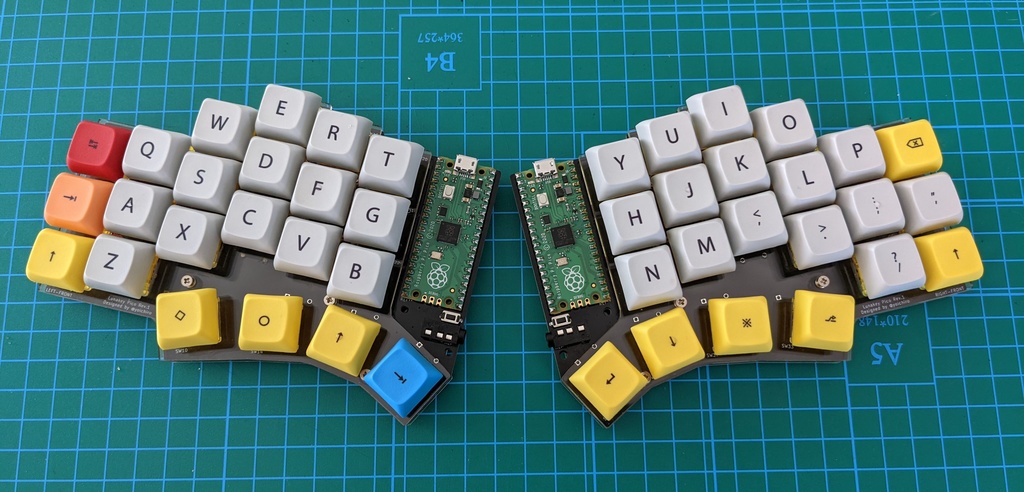
|
||||
|
||||
Lunakey Pico is a 40% keyboard which has 44 keys and is split to left and right. Each side has 3 rows x 6 columns and 4 keys that are pressed by a thumb. Also, it has an ability to light up by Underglow LEDs on the bottom and an ability to play a sound by a speaker module. Of course, the column-staggered key layout is the result of deep thinking to fit each finger and each key naturally.
|
||||
|
||||
* 40% keyboard (3 rows and 6 columns for each side).
|
||||
* Column-staggered key layout to fit each length of fingers.
|
||||
* 4 keys for thumb fitted to range of movement of the finger naturally.
|
||||
* Supported both Cherry MX compatible key switches and Kailh Choc low profile key switches.
|
||||
* Can exchange key switches without soldering by adopting the key sockets.
|
||||
* Underglow LEDs lighting effect.
|
||||
* Provides a sound feedback by a piezoelectric speaker.
|
||||
|
||||
The special feature of this Lunakey Pico is that [Raspberry Pi Pico](https://www.raspberrypi.org/products/raspberry-pi-pico/) has been adopted. Users can use some firmwares including [KMK Firmware](https://github.com/KMKfw/kmk_firmware).
|
||||
|
||||
Hardware Availability: [PCB & Case Source](https://github.com/yoichiro/lunakey#lunakey-pico)
|
||||
|
||||
Retailers: [Lunakey Pico - Yoichiro's Garage - BOOTH](https://yoichiro.booth.pm/items/3324672)
|
||||
|
||||
## Dependencies
|
||||
|
||||
* [neopixel.py](https://github.com/adafruit/Adafruit_CircuitPython_NeoPixel) - It is necessary to turn on the Underglow LEDs.
|
||||
* [pwmio](https://circuitpython.readthedocs.io/en/latest/shared-bindings/pwmio/index.html) - It is necessary to support a sound feedback with a piezoelectric speaker.
|
||||
@ -1,18 +0,0 @@
|
||||
import board
|
||||
|
||||
from kmk.kmk_keyboard import KMKKeyboard as _KMKKeyboard
|
||||
from kmk.scanners import DiodeOrientation
|
||||
|
||||
|
||||
class KMKKeyboard(_KMKKeyboard):
|
||||
row_pins = (board.GP12, board.GP13, board.GP14, board.GP15)
|
||||
col_pins = (board.GP21, board.GP20, board.GP19, board.GP18, board.GP17, board.GP16)
|
||||
diode_orientation = DiodeOrientation.COLUMNS
|
||||
|
||||
# flake8: noqa
|
||||
coord_mapping = [
|
||||
0, 1, 2, 3, 4, 5, 29, 28, 27, 26, 25, 24,
|
||||
6, 7, 8, 9, 10, 11, 35, 34, 33, 32, 31, 30,
|
||||
12, 13, 14, 15, 16, 17, 41, 40, 39, 38, 37, 36,
|
||||
20, 21, 22, 23, 47, 46, 45, 44,
|
||||
]
|
||||
@ -1,120 +0,0 @@
|
||||
import board
|
||||
import digitalio
|
||||
|
||||
import pwmio
|
||||
import time
|
||||
from kb import KMKKeyboard
|
||||
|
||||
from kmk.extensions.RGB import RGB, AnimationModes
|
||||
from kmk.keys import KC
|
||||
from kmk.modules.layers import Layers
|
||||
from kmk.modules.modtap import ModTap
|
||||
from kmk.modules.split import Split, SplitSide, SplitType
|
||||
|
||||
led = digitalio.DigitalInOut(board.GP25)
|
||||
led.direction = digitalio.Direction.OUTPUT
|
||||
led.value = True
|
||||
|
||||
keyboard = KMKKeyboard()
|
||||
keyboard.tap_time = 100
|
||||
|
||||
layers_ext = Layers()
|
||||
modtap_ext = ModTap()
|
||||
|
||||
# TODO Comment one of these on each side
|
||||
split_side = SplitSide.LEFT
|
||||
split_side = SplitSide.RIGHT
|
||||
|
||||
data_pin = board.GP1 if split_side == SplitSide.LEFT else board.GP0
|
||||
data_pin2 = board.GP0 if split_side == SplitSide.LEFT else board.GP1
|
||||
|
||||
split = Split(
|
||||
split_side=split_side,
|
||||
split_type=SplitType.UART,
|
||||
split_flip=True,
|
||||
data_pin=data_pin,
|
||||
data_pin2=data_pin2
|
||||
)
|
||||
|
||||
rgb_ext = RGB(
|
||||
pixel_pin=board.GP6,
|
||||
num_pixels=6,
|
||||
animation_mode=AnimationModes.BREATHING_RAINBOW
|
||||
)
|
||||
|
||||
keyboard.modules = [layers_ext, modtap_ext, split]
|
||||
keyboard.extensions.append(rgb_ext)
|
||||
|
||||
if split_side == SplitSide.LEFT:
|
||||
buzzer = pwmio.PWMOut(board.GP8, variable_frequency=True)
|
||||
OFF = 0
|
||||
ON = 2**15
|
||||
buzzer.duty_cycle = ON
|
||||
buzzer.frequency = 2000
|
||||
time.sleep(0.2)
|
||||
buzzer.frequency = 1000
|
||||
time.sleep(0.2)
|
||||
buzzer.duty_cycle = OFF
|
||||
|
||||
LOWER = KC.MO(1)
|
||||
RAISE = KC.MO(2)
|
||||
ADJUST = KC.MO(3)
|
||||
CT_TAB = KC.MT(KC.TAB, KC.LCTRL)
|
||||
CT_QUOT = KC.MT(KC.QUOT, KC.LCTRL)
|
||||
SF_MINS = KC.MT(KC.MINS, KC.LSHIFT)
|
||||
SG_PSCR = KC.LSFT(KC.LGUI(KC.PSCR))
|
||||
SF_PSCR = KC.LSFT(KC.PSCR)
|
||||
CG_RGHT = KC.LCTRL(KC.LGUI(KC.RGHT))
|
||||
RESET = KC.RESET
|
||||
LANG1 = KC.LANG1
|
||||
LANG2 = KC.LANG2
|
||||
|
||||
keyboard.keymap = [
|
||||
[ # QWERTY
|
||||
# ------+--------+--------+--------+--------+--------+ +--------+--------+--------+--------+--------+--------+
|
||||
KC.GESC, KC.Q, KC.W, KC.E, KC.R, KC.T, KC.Y, KC.U, KC.I, KC.O, KC.P, KC.BSPC,\
|
||||
# ------+--------+--------+--------+--------+--------+ +--------+--------+--------+--------+--------+--------+
|
||||
CT_TAB, KC.A, KC.S, KC.D, KC.F, KC.G, KC.H, KC.J, KC.K, KC.L, KC.SCLN, CT_QUOT,\
|
||||
# ------+--------+--------+--------+--------+--------+ +--------+--------+--------+--------+--------+--------+
|
||||
KC.LSFT, KC.Z, KC.X, KC.C, KC.V, KC.B, KC.N, KC.M, KC.COMM, KC.DOT, KC.SLSH, SF_MINS,\
|
||||
# ------+--------+--------+--------+--------+--------+--------+--------+--------+--------+--------+--------+--------+--------+
|
||||
KC.LALT, LANG2, LOWER, KC.SPC, KC.ENT, RAISE, LANG1, KC.RALT
|
||||
# ------+--------+--------+--------+--------+--------+--------+--------+--------+--------+--------+--------+--------+--------+
|
||||
],
|
||||
[ # LOWER
|
||||
# ------+--------+--------+--------+--------+--------+ +--------+--------+--------+--------+--------+--------+
|
||||
KC.BSLS, KC.CIRC, KC.EXLM, KC.AMPR, KC.PIPE, KC.DLR, KC.AT, KC.ASTR, KC.PLUS, KC.EQL, KC.PERC, KC.BSPC,\
|
||||
# ------+--------+--------+--------+--------+--------+ +--------+--------+--------+--------+--------+--------+
|
||||
KC.TRNS, KC.N1, KC.N2, KC.N3, KC.N4, KC.N5, KC.N6, KC.N7, KC.N8, KC.N9, KC.N0, KC.DQT,\
|
||||
# ------+--------+--------+--------+--------+--------+ +--------+--------+--------+--------+--------+--------+
|
||||
KC.TRNS, KC.TRNS, KC.TRNS, KC.TRNS, KC.TRNS, KC.TRNS, KC.TRNS, KC.COLN, KC.LABK, KC.RABK, KC.QUES, KC.UNDS,\
|
||||
# ------+--------+--------+--------+--------+--------+--------+--------+--------+--------+--------+--------+--------+--------+
|
||||
KC.LGUI, KC.TRNS, KC.TRNS, KC.TRNS, KC.TRNS, ADJUST, KC.TRNS, KC.LGUI
|
||||
# ------+--------+--------+--------+--------+--------+--------+--------+--------+--------+--------+--------+--------+--------+
|
||||
],
|
||||
[ # RAISE
|
||||
# ------+--------+--------+--------+--------+--------+ +--------+--------+--------+--------+--------+--------+
|
||||
KC.BSLS, KC.CIRC, KC.EXLM, KC.AMPR, KC.PIPE, KC.DLR, KC.AT, KC.ASTR, KC.PLUS, KC.EQL, KC.PERC, KC.BSPC,\
|
||||
# ------+--------+--------+--------+--------+--------+ +--------+--------+--------+--------+--------+--------+
|
||||
KC.HASH, KC.GRV, KC.LBRC, KC.RBRC, KC.LPRN, KC.RPRN, KC.PGUP, KC.HOME, KC.UP, KC.END, KC.TRNS, KC.DQT,\
|
||||
# ------+--------+--------+--------+--------+--------+ +--------+--------+--------+--------+--------+--------+
|
||||
KC.TRNS, KC.TILD, KC.TRNS, KC.TRNS, KC.LCBR, KC.RCBR, KC.PGDN, KC.LEFT, KC.DOWN, KC.RGHT, KC.TRNS, KC.TRNS,\
|
||||
# ------+--------+--------+--------+--------+--------+--------+--------+--------+--------+--------+--------+--------+--------+
|
||||
KC.LGUI, KC.TRNS, ADJUST, KC.TRNS, KC.TRNS, KC.TRNS, KC.TRNS, KC.LGUI
|
||||
# ------+--------+--------+--------+--------+--------+--------+--------+--------+--------+--------+--------+--------+--------+
|
||||
],
|
||||
[ # ADJUST
|
||||
# ------+--------+--------+--------+--------+--------+ +--------+--------+--------+--------+--------+--------+
|
||||
KC.TRNS, RESET, KC.TRNS, KC.TRNS, KC.TRNS, KC.TRNS, KC.F1, KC.F2, KC.F3, KC.F4, KC.F5, KC.F6,\
|
||||
# ------+--------+--------+--------+--------+--------+ +--------+--------+--------+--------+--------+--------+
|
||||
KC.TRNS, KC.TRNS, KC.TRNS, KC.TRNS, KC.TRNS, KC.TRNS, KC.F7, KC.F8, KC.F9, KC.F10, KC.F11, KC.F12,\
|
||||
# ------+--------+--------+--------+--------+--------+ +--------+--------+--------+--------+--------+--------+
|
||||
KC.TRNS, KC.TRNS, KC.VOLD, KC.VOLU, KC.MUTE, KC.TRNS, SG_PSCR, SF_PSCR, KC.CAPS, KC.TRNS, CG_RGHT, KC.TRNS,\
|
||||
# ------+--------+--------+--------+--------+--------+--------+--------+--------+--------+--------+--------+--------+--------+
|
||||
KC.TRNS, KC.TRNS, KC.TRNS, KC.TRNS, KC.TRNS, KC.TRNS, KC.TRNS, KC.TRNS
|
||||
# ------+--------+--------+--------+--------+--------+--------+--------+--------+--------+--------+--------+--------+--------+
|
||||
]
|
||||
]
|
||||
|
||||
if __name__ == '__main__':
|
||||
keyboard.go()
|
||||
@ -1,17 +0,0 @@
|
||||
# May Pad
|
||||
|
||||
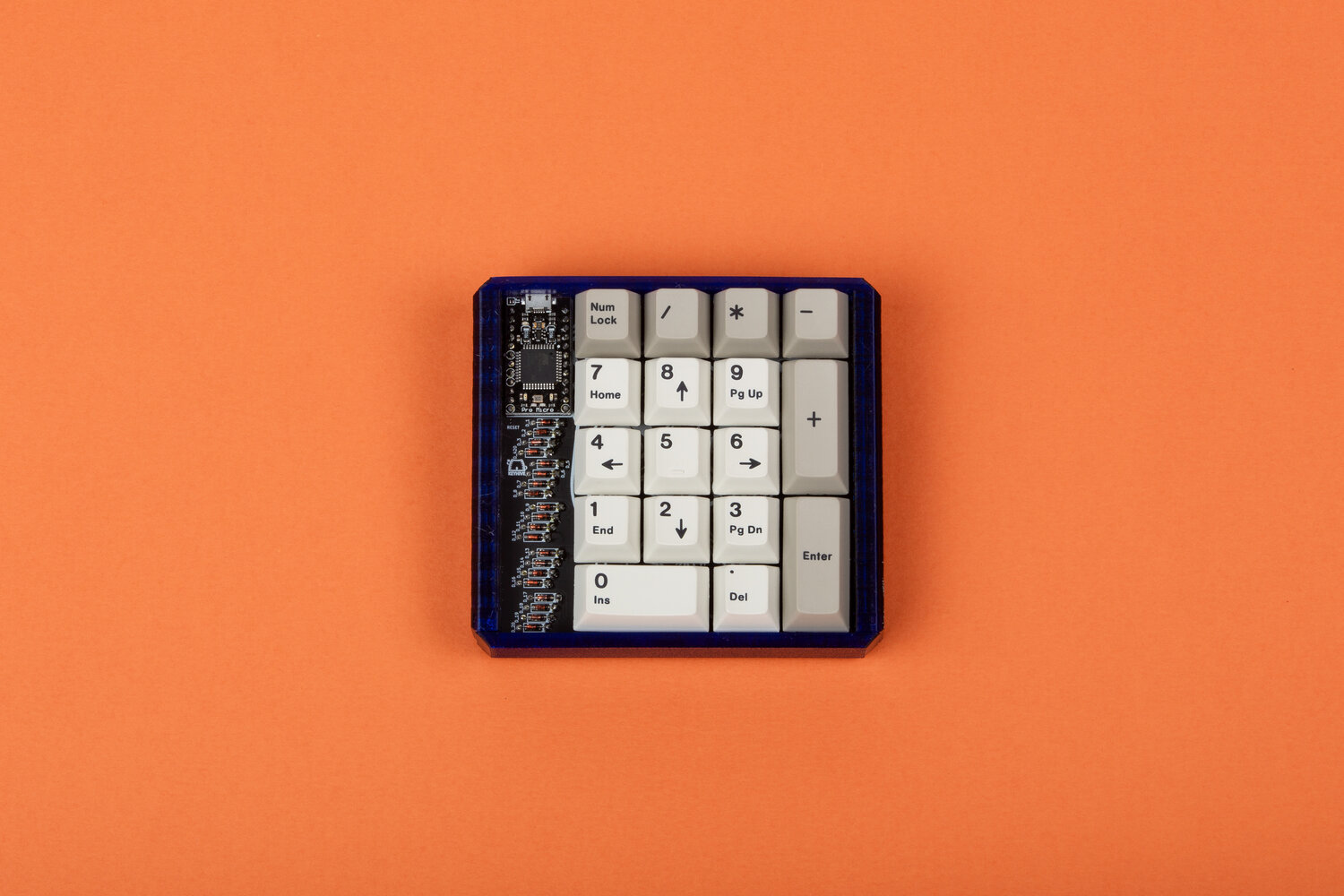
|
||||
|
||||
A through hole kit using a pro micro footprint and through hole diodes! Can be a 20 key macropad or a numpad!
|
||||
|
||||
kb.py is designed to work with the Adafruit KB2040
|
||||
|
||||
Retailers (USA)
|
||||
[KeyHive](https://keyhive.xyz/shop/may-pad)
|
||||
|
||||
Extensions enabled by default
|
||||
- [Layers](https://github.com/KMKfw/kmk_firmware/tree/master/docs/layers.md) Need more keys than switches? Use layers.
|
||||
- [MediaKeys](https://github.com/KMKfw/kmk_firmware/tree/master/docs/media_keys.md) Control volume and other media functions
|
||||
|
||||
Common Extensions
|
||||
- [Power](https://github.com/KMKfw/kmk_firmware/tree/master/docs/power.md) Powersaving features for battery life
|
||||
@ -1,16 +0,0 @@
|
||||
import board
|
||||
|
||||
from kmk.kmk_keyboard import KMKKeyboard as _KMKKeyboard
|
||||
from kmk.scanners import DiodeOrientation
|
||||
|
||||
|
||||
class KMKKeyboard(_KMKKeyboard):
|
||||
row_pins = (board.D5, board.D6, board.D7, board.D8, board.D9)
|
||||
col_pins = (
|
||||
board.A1,
|
||||
board.A0,
|
||||
board.SCK,
|
||||
board.MISO,
|
||||
)
|
||||
diode_orientation = DiodeOrientation.COLUMNS
|
||||
i2c = board.I2C
|
||||
@ -1,30 +0,0 @@
|
||||
from kb import KMKKeyboard
|
||||
|
||||
from kmk.extensions.media_keys import MediaKeys
|
||||
from kmk.keys import KC
|
||||
from kmk.modules.layers import Layers
|
||||
|
||||
keyboard = KMKKeyboard()
|
||||
|
||||
media = MediaKeys()
|
||||
layers_ext = Layers()
|
||||
|
||||
keyboard.extensions = [media]
|
||||
keyboard.modules = [layers_ext]
|
||||
|
||||
# Cleaner key names
|
||||
_______ = KC.TRNS
|
||||
XXXXXXX = KC.NO
|
||||
|
||||
keyboard.keymap = [
|
||||
[
|
||||
KC.NLCK, KC.PSLS, KC.PAST, KC.PMNS,
|
||||
KC.P7, KC.P8, KC.P9, _______,
|
||||
KC.P4, KC.P5, KC.P6, KC.PPLS,
|
||||
KC.P1, KC.P2, KC.P3, _______,
|
||||
_______, KC.P0, KC.PDOT, KC.PENT,
|
||||
]
|
||||
]
|
||||
|
||||
if __name__ == '__main__':
|
||||
keyboard.go()
|
||||
@ -1,17 +0,0 @@
|
||||
# Navi10 / ナビ10
|
||||
|
||||
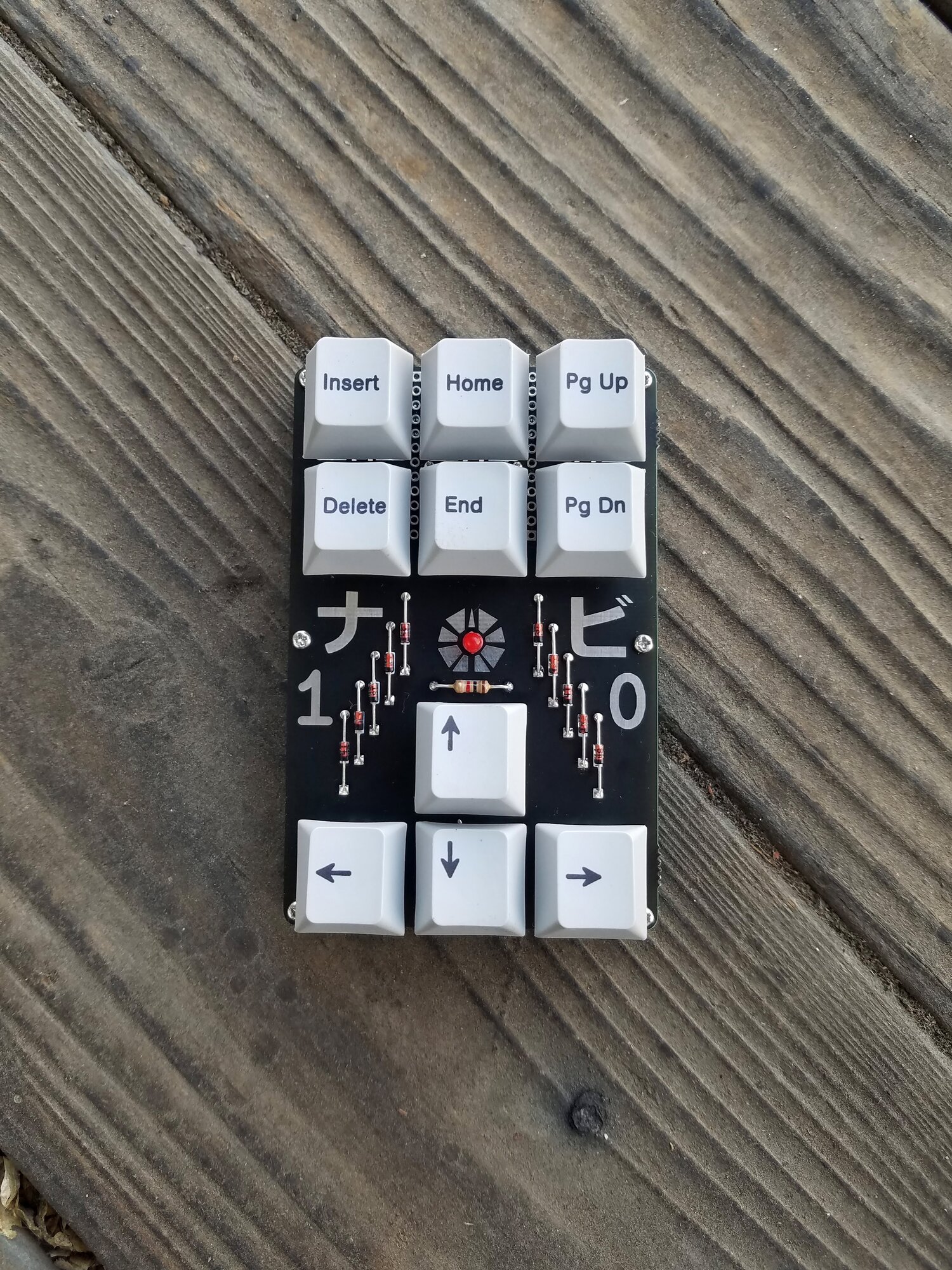
|
||||
|
||||
A simple and fun navigation cluster macropad with exposed components.
|
||||
|
||||
kb.py is designed to work with the Adafruit KB2040
|
||||
|
||||
Retailers (USA)
|
||||
[KeyHive](https://keyhive.xyz/shop/navi10)
|
||||
|
||||
Extensions enabled by default
|
||||
- [Layers](https://github.com/KMKfw/kmk_firmware/tree/master/docs/layers.md) Need more keys than switches? Use layers.
|
||||
- [MediaKeys](https://github.com/KMKfw/kmk_firmware/tree/master/docs/media_keys.md) Control volume and other media functions
|
||||
|
||||
Common Extensions
|
||||
- [Power](https://github.com/KMKfw/kmk_firmware/tree/master/docs/power.md) Powersaving features for battery life
|
||||
@ -1,19 +0,0 @@
|
||||
import board
|
||||
import digitalio
|
||||
|
||||
from kmk.kmk_keyboard import KMKKeyboard as _KMKKeyboard
|
||||
from kmk.scanners import DiodeOrientation
|
||||
|
||||
|
||||
class KMKKeyboard(_KMKKeyboard):
|
||||
led = digitalio.DigitalInOut(board.D9)
|
||||
led.direction = digitalio.Direction.OUTPUT
|
||||
led.value = False
|
||||
row_pins = (board.D10, board.MOSI, board.MISO, board.D8)
|
||||
col_pins = (
|
||||
board.D4,
|
||||
board.D7,
|
||||
board.SCK,
|
||||
)
|
||||
diode_orientation = DiodeOrientation.COLUMNS
|
||||
i2c = board.I2C
|
||||
@ -1,41 +0,0 @@
|
||||
from kb import KMKKeyboard
|
||||
|
||||
from kmk.extensions.media_keys import MediaKeys
|
||||
from kmk.keys import KC
|
||||
from kmk.modules.layers import Layers
|
||||
|
||||
keyboard = KMKKeyboard()
|
||||
|
||||
media = MediaKeys()
|
||||
layers_ext = Layers()
|
||||
|
||||
keyboard.extensions = [media]
|
||||
keyboard.modules = [layers_ext]
|
||||
|
||||
# Cleaner key names
|
||||
_______ = KC.TRNS
|
||||
XXXXXXX = KC.NO
|
||||
|
||||
keyboard.keymap = [
|
||||
[ #Nav Keys
|
||||
KC.INSERT, KC.HOME, KC.PGUP,
|
||||
KC.DELETE, KC.END, KC.PGDOWN,
|
||||
XXXXXXX, KC.UP, XXXXXXX,
|
||||
KC.LEFT, KC.DOWN, KC.RIGHT
|
||||
],
|
||||
[ #I3
|
||||
KC.LGUI(KC.L), KC.LGUI(KC.LSHIFT(KC.UP)), KC.LGUI(KC.LSHIFT(KC.P)),
|
||||
KC.LGUI(KC.LSHIFT(KC.LEFT)), KC.LGUI(KC.LSHIFT(KC.DOWN)), KC.LGUI(KC.LSHIFT(KC.RIGHT)),
|
||||
XXXXXXX, KC.LGUI(KC.UP), XXXXXXX,
|
||||
KC.LGUI(KC.LEFT), KC.LGUI(KC.DOWN), KC.LGUI(KC.RIGHT)
|
||||
],
|
||||
[ #Media keys
|
||||
KC.MUTE, KC.MPLY, KC.MSTP,
|
||||
KC.MRWD, XXXXXXX, KC.MFFD,
|
||||
XXXXXXX, KC.VOLU, XXXXXXX,
|
||||
KC.MPRV, KC.VOLD, KC.MNXT
|
||||
],
|
||||
]
|
||||
|
||||
if __name__ == '__main__':
|
||||
keyboard.go()
|
||||
@ -1,28 +0,0 @@
|
||||
# Pimoroni Keybow family
|
||||
|
||||
A family of macro pads based on raspberry pi hardware:
|
||||

|
||||
(Original) Keybow - Raspberry Pi hat. 4x3 hotswap keys, with an APA102 LED per key.
|
||||
|
||||

|
||||
Keybow 2040 - custom RP2040 board. 4x4 hotswap keys, with an RGB LED per key driven by a shared IS31FL3731 controller.
|
||||
|
||||
These boards share the 'feature' of using a single GPIO per key rather than a row and column matrix, so these both
|
||||
use CircuitPython's `keypad.Keys` module instead of the regular KMK matrix scanner.
|
||||
|
||||
|
||||
## Retailers
|
||||
### UK
|
||||
- Pimoroni
|
||||
- [Keybow](https://shop.pimoroni.com/products/keybow)
|
||||
- [Keybow 2040](https://shop.pimoroni.com/products/keybow-2040)
|
||||
|
||||
### AU
|
||||
- Core Electronics
|
||||
- [Keybow](https://core-electronics.com.au/pimoroni-keybow-mini-mechanical-keyboard-kit-clicky-keys.html)
|
||||
- [Keybow 2040](https://core-electronics.com.au/pimoroni-keybow-2040-tactile-keys.html)
|
||||
|
||||
Extensions enabled by default
|
||||
- [Layers](https://github.com/KMKfw/kmk_firmware/tree/master/docs/layers.md) Need more keys than switches? Use layers.
|
||||
- [RGB](https://github.com/KMKfw/kmk_firmware/tree/master/docs/rgb.md) Light it up (Keybow only so far)
|
||||
- [MediaKeys](https://github.com/KMKfw/kmk_firmware/tree/master/docs/media_keys.md) Control volume and other media functions
|
||||
@ -1,24 +0,0 @@
|
||||
from keybow import Keybow
|
||||
|
||||
from kmk.extensions.media_keys import MediaKeys
|
||||
from kmk.keys import KC
|
||||
from kmk.modules.layers import Layers
|
||||
|
||||
keybow = Keybow()
|
||||
|
||||
# fmt: off
|
||||
keybow.keymap = [
|
||||
[
|
||||
KC.A, KC.B, KC.C,
|
||||
KC.E, KC.F, KC.G,
|
||||
KC.I, KC.J, KC.K,
|
||||
KC.M, KC.N, KC.O,
|
||||
]
|
||||
]
|
||||
|
||||
keybow.extensions.extend([MediaKeys()])
|
||||
keybow.modules.extend([Layers()])
|
||||
# fmt: on
|
||||
|
||||
if __name__ == '__main__':
|
||||
keybow.go()
|
||||
@ -1,94 +0,0 @@
|
||||
'''
|
||||
KMK keyboard for Pimoroni Keybow.
|
||||
|
||||
WARNING: This doesn't currently function correctly on the Raspberry Pi Zero,
|
||||
some of the keys are stuck in the 'pressed' position. There's either a bug in
|
||||
the keypad implementation on the rpi0, or the pin numbers don't match the pins
|
||||
in linux.
|
||||
|
||||
This is a 4x3 macro pad designed to fit the rpi's GPIO connector. Each key is
|
||||
attached to a single GPIO and has an APA102 LED mounted underneath it.
|
||||
|
||||
The layout of the board is as follows (GPIO connector on the left):
|
||||
|
||||
R0 | D20 D6 D22
|
||||
R1 | D17 D16 D12
|
||||
R2 | D24 D27 D26
|
||||
R0 | D13 D5 D23
|
||||
------------------
|
||||
C0 C1 C2
|
||||
|
||||
This board also functions with an adaptor (see
|
||||
https://learn.adafruit.com/itsybitsy-keybow-mechanical-keypad/) to work with an
|
||||
itsybitsy in place of the rpi, which uses an alternate pin mapping:
|
||||
|
||||
R0 | A2 A1 A0
|
||||
R1 | A5 A4 A3
|
||||
R2 | D10 D9 D7
|
||||
R3 | D11 D12 D2
|
||||
------------------
|
||||
C0 C1 C2
|
||||
|
||||
This keyboard file should automatically select the correct mapping at runtime.
|
||||
'''
|
||||
|
||||
import board
|
||||
|
||||
import adafruit_dotstar
|
||||
import sys
|
||||
|
||||
from kmk.extensions.rgb import RGB, AnimationModes
|
||||
from kmk.kmk_keyboard import KMKKeyboard
|
||||
from kmk.scanners.keypad import KeysScanner
|
||||
|
||||
|
||||
# fmt: off
|
||||
def raspi_pins():
|
||||
return [
|
||||
board.D20, board.D16, board.D26,
|
||||
board.D6, board.D12, board.D13,
|
||||
board.D22, board.D24, board.D5,
|
||||
board.D17, board.D27, board.D23,
|
||||
]
|
||||
|
||||
|
||||
def itsybitsy_pins():
|
||||
return [
|
||||
board.D11, board.D12, board.D2,
|
||||
board.D10, board.D9, board.D7,
|
||||
board.A5, board.A4, board.A3,
|
||||
board.A2, board.A1, board.A0,
|
||||
]
|
||||
# fmt: on
|
||||
|
||||
|
||||
def isPi():
|
||||
return sys.platform == 'BROADCOM'
|
||||
|
||||
|
||||
if isPi():
|
||||
_KEY_CFG = raspi_pins()
|
||||
_LED_PINS = (board.SCK, board.MOSI)
|
||||
else:
|
||||
_KEY_CFG = itsybitsy_pins()
|
||||
_LED_PINS = (board.SCK, board.MOSI)
|
||||
|
||||
|
||||
led_strip = adafruit_dotstar.DotStar(_LED_PINS[0], _LED_PINS[1], 12)
|
||||
rgb_ext = RGB(
|
||||
pixel_pin=0,
|
||||
pixels=led_strip,
|
||||
num_pixels=12,
|
||||
animation_mode=AnimationModes.BREATHING_RAINBOW,
|
||||
)
|
||||
|
||||
|
||||
class Keybow(KMKKeyboard):
|
||||
'''
|
||||
Default keyboard config for the Keybow.
|
||||
'''
|
||||
|
||||
extensions = [rgb_ext]
|
||||
|
||||
def __init__(self):
|
||||
self.matrix = KeysScanner(_KEY_CFG)
|
||||
@ -1,30 +0,0 @@
|
||||
from is31fl3731_pixelbuf import Keybow2040Leds
|
||||
from keybow_2040 import Keybow2040
|
||||
|
||||
from kmk.extensions.rgb import RGB, AnimationModes
|
||||
from kmk.keys import KC
|
||||
|
||||
rgb_ext = RGB(
|
||||
pixel_pin=0,
|
||||
pixels=Keybow2040Leds(16),
|
||||
num_pixels=16,
|
||||
animation_mode=AnimationModes.BREATHING_RAINBOW,
|
||||
)
|
||||
|
||||
keybow = Keybow2040()
|
||||
keybow.extensions = [rgb_ext]
|
||||
|
||||
# fmt: off
|
||||
keybow.keymap = [
|
||||
[
|
||||
KC.A, KC.B, KC.C, KC.D,
|
||||
KC.E, KC.F, KC.G, KC.H,
|
||||
KC.I, KC.J, KC.K, KC.L,
|
||||
KC.M, KC.N, KC.O, KC.P,
|
||||
KC.Q
|
||||
]
|
||||
]
|
||||
# fmt: on
|
||||
|
||||
if __name__ == '__main__':
|
||||
keybow.go()
|
||||
@ -1,26 +0,0 @@
|
||||
'''
|
||||
Simple PixelBuf wrapper for the IS31FL3731 controller used for the Keybow2040's RGB LEDs.
|
||||
'''
|
||||
|
||||
import board
|
||||
|
||||
from adafruit_is31fl3731.keybow2040 import Keybow2040 as KeybowLeds
|
||||
from adafruit_pixelbuf import PixelBuf
|
||||
|
||||
|
||||
class Keybow2040Leds(PixelBuf):
|
||||
'''
|
||||
Minimal PixelBuf wrapper for the Keybow 2040's LED array.
|
||||
'''
|
||||
|
||||
def __init__(self, size: int):
|
||||
self.leds = KeybowLeds(board.I2C())
|
||||
self._pixels = size
|
||||
super().__init__(size, byteorder='RGB')
|
||||
|
||||
def _transmit(self, buffer):
|
||||
for pixel in range(self._pixels):
|
||||
r = buffer[pixel * 3 + 0]
|
||||
g = buffer[pixel * 3 + 1]
|
||||
b = buffer[pixel * 3 + 2]
|
||||
self.leds.pixelrgb(pixel // 4, pixel % 4, r, g, b)
|
||||
@ -1,46 +0,0 @@
|
||||
'''
|
||||
KMK keyboard for Pimoroni Keybow 2040.
|
||||
|
||||
This is a 4x4 macro pad based on the RP2040. Each key is attached to a single
|
||||
GPIO, so the KMK matrix scanner needs to be overridden. Additionally, each
|
||||
key has an RGB LED controlled by an IS31FL3731 controller which is incompatible
|
||||
with the default RGB module.
|
||||
|
||||
The layout of the board is as follows:
|
||||
|
||||
[RESET] [USB-C] [BOOT]
|
||||
R0 | SW3 SW7 SW11 SW15
|
||||
R1 | SW2 SW6 SW10 SW14
|
||||
R2 | SW1 SW5 SW9 SW13
|
||||
R3 | SW0 SW4 SW8 SW12
|
||||
-----------------------------
|
||||
C0 C1 C2 C3
|
||||
|
||||
The binding defined in the _KEY_CFG array binds the switches to keys such that
|
||||
the keymap can be written in a way that lines up with the natural order of the
|
||||
key switches, then adds [BOOT] in (4,0). [RESET] can't be mapped as a key.
|
||||
'''
|
||||
|
||||
import board
|
||||
|
||||
from kmk.kmk_keyboard import KMKKeyboard
|
||||
from kmk.scanners.keypad import KeysScanner
|
||||
|
||||
# fmt: off
|
||||
_KEY_CFG = [
|
||||
board.SW3, board.SW7, board.SW11, board.SW15,
|
||||
board.SW2, board.SW6, board.SW10, board.SW14,
|
||||
board.SW1, board.SW5, board.SW9, board.SW13,
|
||||
board.SW0, board.SW4, board.SW8, board.SW12,
|
||||
board.USER_SW,
|
||||
]
|
||||
# fmt: on
|
||||
|
||||
|
||||
class Keybow2040(KMKKeyboard):
|
||||
'''
|
||||
Default keyboard config for the Keybow2040.
|
||||
'''
|
||||
|
||||
def __init__(self):
|
||||
self.matrix = KeysScanner(_KEY_CFG)
|
||||
@ -11,10 +11,10 @@ Hardware Availability: [PCB & Case Data](https://github.com/gtips/reviung)
|
||||
Retailers (USA)
|
||||
[Boardsource](https://boardsource.xyz/store/5ecb734486879c9a0c22dab3)
|
||||
|
||||
Extensions enabled by default
|
||||
Extentions enabled by default
|
||||
- [Layers](https://github.com/KMKfw/kmk_firmware/tree/master/docs/layers.md) Need more keys than switches? Use layers.
|
||||
- [RGB](https://github.com/KMKfw/kmk_firmware/tree/master/docs/rgb.md) Light it up
|
||||
- [ModTap](https://github.com/KMKfw/kmk_firmware/tree/master/docs/modtap.md) Allows mod keys to act as different keys when tapped.
|
||||
|
||||
Common Extensions
|
||||
Common Extentions
|
||||
- [Power](https://github.com/KMKfw/kmk_firmware/tree/master/docs/power.md) Powersaving features for battery life
|
||||
|
||||
@ -1,7 +1,7 @@
|
||||
import board
|
||||
|
||||
from kmk.kmk_keyboard import KMKKeyboard as _KMKKeyboard
|
||||
from kmk.scanners import DiodeOrientation
|
||||
from kmk.matrix import DiodeOrientation
|
||||
|
||||
|
||||
class KMKKeyboard(_KMKKeyboard):
|
||||
|
||||
@ -1,5 +1,4 @@
|
||||
from kb import KMKKeyboard
|
||||
|
||||
from kmk.extensions.rgb import RGB
|
||||
from kmk.keys import KC
|
||||
from kmk.modules.layers import Layers
|
||||
|
||||
@ -11,10 +11,10 @@ Hardware Availability: [PCB & Case Data](https://github.com/gtips/reviung/tree/m
|
||||
Retailers (USA)
|
||||
[Boardsource](https://boardsource.xyz/store/5f2ef1b52bf5e8714a60f613)
|
||||
|
||||
Extensions enabled by default
|
||||
Extentions enabled by default
|
||||
- [Layers](https://github.com/KMKfw/kmk_firmware/tree/master/docs/layers.md) Need more keys than switches? Use layers.
|
||||
- [RGB](https://github.com/KMKfw/kmk_firmware/tree/master/docs/rgb.md) Light it up
|
||||
- [ModTap](https://github.com/KMKfw/kmk_firmware/tree/master/docs/modtap.md) Allows mod keys to act as different keys when tapped.
|
||||
|
||||
Common Extensions
|
||||
Common Extentions
|
||||
- [Power](https://github.com/KMKfw/kmk_firmware/tree/master/docs/power.md) Powersaving features for battery life
|
||||
|
||||
@ -1,8 +1,8 @@
|
||||
import board
|
||||
|
||||
from kmk.kmk_keyboard import KMKKeyboard as _KMKKeyboard
|
||||
from kmk.scanners import DiodeOrientation
|
||||
from kmk.scanners import intify_coordinate as ic
|
||||
from kmk.matrix import DiodeOrientation
|
||||
from kmk.matrix import intify_coordinate as ic
|
||||
|
||||
|
||||
class KMKKeyboard(_KMKKeyboard):
|
||||
@ -30,9 +30,9 @@ class KMKKeyboard(_KMKKeyboard):
|
||||
powersave_pin = board.P0_13
|
||||
|
||||
coord_mapping = []
|
||||
coord_mapping.extend(ic(0, x, 12) for x in range(12))
|
||||
coord_mapping.extend(ic(1, x, 12) for x in range(12))
|
||||
coord_mapping.extend(ic(2, x, 12) for x in range(12))
|
||||
coord_mapping.extend(ic(0, x) for x in range(12))
|
||||
coord_mapping.extend(ic(1, x) for x in range(12))
|
||||
coord_mapping.extend(ic(2, x) for x in range(12))
|
||||
|
||||
# And now, to handle R3, which at this point is down to just five keys
|
||||
coord_mapping.extend(ic(3, x, 12) for x in range(5))
|
||||
coord_mapping.extend(ic(3, x) for x in range(5))
|
||||
|
||||
@ -1,5 +1,4 @@
|
||||
from kb import KMKKeyboard
|
||||
|
||||
from kmk.extensions.rgb import RGB
|
||||
from kmk.keys import KC
|
||||
from kmk.modules.layers import Layers
|
||||
|
||||
@ -9,11 +9,11 @@ kb.py is designed to work with the nice!nano
|
||||
Retailers (USA)
|
||||
[Boardsource](https://boardsource.xyz/store/5ecb6aee86879c9a0c22da89)
|
||||
|
||||
Extensions enabled by default
|
||||
Extentions enabled by default
|
||||
- [Layers](https://github.com/KMKfw/kmk_firmware/tree/master/docs/layers.md) Need more keys than switches? Use layers.
|
||||
- [BLE_Split](https://github.com/KMKfw/kmk_firmware/tree/master/docs/split_keyboards.md) Connects halves without wires
|
||||
- [BLE_Split](https://github.com/KMKfw/kmk_firmware/tree/master/docs/split.md) Connects halves without wires
|
||||
- [ModTap](https://github.com/KMKfw/kmk_firmware/tree/master/docs/modtap.md) Allows mod keys to act as different keys when tapped.
|
||||
|
||||
Common Extensions
|
||||
- [Split](https://github.com/KMKfw/kmk_firmware/tree/master/docs/split_keyboards.md) Connects halves using a wire
|
||||
Common Extentions
|
||||
- [Split](https://github.com/KMKfw/kmk_firmware/tree/master/docs/split.md) Connects halves using a wire
|
||||
- [Power](https://github.com/KMKfw/kmk_firmware/tree/master/docs/power.md) Powersaving features for battery life
|
||||
|
||||
@ -1,7 +1,7 @@
|
||||
import board
|
||||
|
||||
from kmk.kmk_keyboard import KMKKeyboard as _KMKKeyboard
|
||||
from kmk.scanners import DiodeOrientation
|
||||
from kmk.matrix import DiodeOrientation
|
||||
|
||||
|
||||
class KMKKeyboard(_KMKKeyboard):
|
||||
|
||||
@ -1,5 +1,4 @@
|
||||
from kb import KMKKeyboard
|
||||
|
||||
from kmk.extensions.layers import Layers
|
||||
from kmk.extensions.split import Split, SplitSide, SplitType
|
||||
from kmk.keys import KC
|
||||
|
||||
@ -1,25 +0,0 @@
|
||||
# Sofle V2
|
||||
|
||||

|
||||
|
||||
"Sofle is 6×4+5 keys column-staggered split keyboard with encoder support. Based on Lily58, Corne and Helix keyboards."
|
||||
|
||||
Hardware Availability: [PCB & Case Source](https://github.com/josefadamcik/SofleKeyboard)
|
||||
|
||||
`kb.py` is designed to work with the [SparkFun Pro Micro RP2040](https://www.sparkfun.com/products/18288).
|
||||
|
||||
Retailers
|
||||
[beekeeb (Hong Kong)](https://shop.beekeeb.com/product/sofle-v2-soflekeyboard-v2-0-1-split-ergonomic-diy-mechanical-keyboard-pcb-kit/)
|
||||
[Ergomech Store (Vietnam)](https://ergomech.store/shop/product/sofle-v2-2#attr=5,23)
|
||||
|
||||
Extentions enabled by default
|
||||
- [Layers](https://github.com/KMKfw/kmk_firmware/blob/master/docs/layers.md) "Layers module adds keys for accessing other layers."
|
||||
- [Split](https://github.com/KMKfw/kmk_firmware/blob/master/docs/split_keyboards.md) Connects halves with or without wires (currently uses wires)
|
||||
- You must add the `adafruit_pioasm.mpy` to the `lib` folder on the RP2040 for this code to work. More about this is described [here](https://github.com/KMKfw/kmk_firmware/blob/master/docs/split_keyboards.md#rp2040-pio-implementation).
|
||||
- [Encoder](https://github.com/KMKfw/kmk_firmware/blob/master/docs/encoder.md) "Add twist control to your keyboard!"
|
||||
|
||||
## Notes
|
||||
|
||||
- This keymap I used the [default used by QMK for Sofle](https://github.com/qmk/qmk_firmware/blob/master/keyboards/sofle/keymaps/default/keymap.c) (I only used QWERTY, RAISE and LOWER)
|
||||
- As of 2022-04-05: Only one encoder will work at the moment. The side that is plugged in will work and the way I wrote it is designed to work with the left plugged in. If the right is plugged in the encoder will work but the encoder will work backwards.
|
||||
- It is possible that the KMK code used for the Sofle V2 could be used on the Sofle V1 or the Sofle RGB or the Sofle Choc. These would each need to be tested to see if they work.
|
||||
@ -1,21 +0,0 @@
|
||||
import board
|
||||
|
||||
from kmk.kmk_keyboard import KMKKeyboard as _KMKKeyboard
|
||||
from kmk.matrix import DiodeOrientation
|
||||
|
||||
|
||||
class KMKKeyboard(_KMKKeyboard):
|
||||
col_pins = (board.A1, board.A0, board.SCK, board.MISO, board.MOSI, board.D21)
|
||||
row_pins = (board.D5, board.D6, board.D7, board.D8, board.D9)
|
||||
diode_orientation = DiodeOrientation.COL2ROW
|
||||
encoder_pin_0 = board.A2
|
||||
encoder_pin_1 = board.A3
|
||||
# NOQA
|
||||
# flake8: noqa
|
||||
coord_mapping = [
|
||||
0, 1, 2, 3, 4, 5, 35, 34, 33, 32, 31, 30,
|
||||
6, 7, 8, 9, 10, 11, 41, 40, 39, 38, 37, 36,
|
||||
12, 13, 14, 15, 16, 17, 47, 46, 45, 44, 43, 42,
|
||||
18, 19, 20, 21, 22, 23, 53, 52, 51, 50, 49, 48,
|
||||
24, 25, 26, 27, 28, 29, 59, 58, 57, 56, 55, 54
|
||||
]
|
||||
@ -1,77 +0,0 @@
|
||||
import board
|
||||
|
||||
from kb import KMKKeyboard
|
||||
|
||||
from kmk.keys import KC
|
||||
from kmk.modules.encoder import EncoderHandler
|
||||
from kmk.modules.layers import Layers
|
||||
from kmk.modules.split import Split, SplitType
|
||||
|
||||
keyboard = KMKKeyboard()
|
||||
|
||||
layers_ext = Layers()
|
||||
|
||||
split = Split(
|
||||
split_flip=True, # If both halves are the same, but flipped, set this True
|
||||
split_type=SplitType.UART, # Defaults to UART
|
||||
uart_interval=20, # Sets the uarts delay. Lower numbers draw more power
|
||||
data_pin=board.RX, # The primary data pin to talk to the secondary device with
|
||||
data_pin2=board.TX, # Second uart pin to allow 2 way communication
|
||||
use_pio=True, # allows for UART to be used with PIO
|
||||
)
|
||||
|
||||
keyboard.modules = [layers_ext, split]
|
||||
|
||||
# Cleaner key names
|
||||
XXXXXXX = KC.NO
|
||||
UNDO = KC.LCTL(KC.Z)
|
||||
CUT = KC.LCTL(KC.X)
|
||||
COPY = KC.LCTL(KC.C)
|
||||
PASTE = KC.LCTL(KC.V)
|
||||
LSTRT = KC.LCTL(KC.HOME)
|
||||
LEND = KC.LCTL(KC.END)
|
||||
BACK = KC.LALT(KC.LEFT)
|
||||
NEXT = KC.LALT(KC.RGHT)
|
||||
LBSPC = KC.LCTL(KC.BSPC)
|
||||
LOWER = KC.MO(1)
|
||||
RAISE = KC.MO(2)
|
||||
|
||||
keyboard.keymap = [
|
||||
[ # QWERTY
|
||||
# HERE----# HERE----# HERE----# HERE----# HERE----# HERE----# HERE----#ENCODER--#ENCODER--# HERE----# HERE----# HERE----# HERE----# HERE----# HERE----# HERE----
|
||||
KC.GRV, KC.N1, KC.N2, KC.N3, KC.N4, KC.N5, KC.N6, KC.N7, KC.N8, KC.N9, KC.N0, KC.GRV,
|
||||
KC.ESC, KC.Q, KC.W, KC.E, KC.R, KC.T, KC.Y, KC.U, KC.I, KC.O, KC.P, KC.BSPC,
|
||||
KC.TAB, KC.A, KC.S, KC.D, KC.F, KC.G, KC.H, KC.J, KC.K, KC.L, KC.SCLN, KC.QUOT,
|
||||
KC.LSFT, KC.Z, KC.X, KC.C, KC.V, KC.B, KC.N, KC.M, KC.COMM, KC.DOT, KC.SLSH, KC.RSFT,
|
||||
KC.LGUI, KC.LALT, KC.LCTL, LOWER, KC.ENT, KC.MUTE, KC.MPLY, KC.SPC, RAISE, KC.RCTL, KC.RALT, KC.RGUI,
|
||||
],
|
||||
[ #LOWER
|
||||
# HERE----# HERE----# HERE----# HERE----# HERE----# HERE----# HERE----#ENCODER--#ENCODER--# HERE----# HERE----# HERE----# HERE----# HERE----# HERE----# HERE----
|
||||
XXXXXXX, KC.F1, KC.F2, KC.F3, KC.F4, KC.F5, KC.F6, KC.F7, KC.F8, KC.F9, KC.F10, KC.F11,
|
||||
KC.GRV, KC.N1, KC.N2, KC.N3, KC.N4, KC.N5, KC.N6, KC.N7, KC.N8, KC.N9, KC.N0, KC.F12,
|
||||
XXXXXXX, KC.EXLM, KC.AT, KC.HASH, KC.DLR, KC.PERC, KC.CIRC, KC.AMPR, KC.ASTR, KC.LPRN, KC.RPRN, KC.PIPE,
|
||||
XXXXXXX, KC.EQL, KC.MINS, KC.PLUS, KC.LCBR, KC.RCBR, KC.LBRC, KC.RBRC, KC.SCLN, KC.COLN, KC.BSLS, XXXXXXX,
|
||||
XXXXXXX, XXXXXXX, XXXXXXX, XXXXXXX, XXXXXXX, XXXXXXX, XXXXXXX, XXXXXXX, XXXXXXX, XXXXXXX, XXXXXXX, XXXXXXX,
|
||||
],
|
||||
[ #RAISE
|
||||
# HERE----# HERE----# HERE----# HERE----# HERE----# HERE----# HERE----#ENCODER--#ENCODER--# HERE----# HERE----# HERE----# HERE----# HERE----# HERE----# HERE----
|
||||
XXXXXXX, XXXXXXX, XXXXXXX, XXXXXXX, XXXXXXX, XXXXXXX, XXXXXXX, XXXXXXX, XXXXXXX, XXXXXXX, XXXXXXX, XXXXXXX,
|
||||
XXXXXXX, KC.INS, KC.PSCR, KC.APP, XXXXXXX, XXXXXXX, KC.PGUP, BACK, KC.UP, NEXT, LBSPC, KC.BSPC,
|
||||
XXXXXXX, KC.LALT, KC.LCTL, KC.LSFT, XXXXXXX, KC.CAPS, KC.PGDN, KC.LEFT, KC.DOWN, KC.RGHT, KC.DEL, KC.BSPC,
|
||||
XXXXXXX, UNDO, CUT, COPY, PASTE, XXXXXXX, XXXXXXX, LSTRT, XXXXXXX, LEND, XXXXXXX, XXXXXXX,
|
||||
XXXXXXX, XXXXXXX, XXXXXXX, XXXXXXX, XXXXXXX, XXXXXXX, XXXXXXX, XXXXXXX, XXXXXXX, XXXXXXX, XXXXXXX, XXXXXXX,
|
||||
]
|
||||
]
|
||||
|
||||
encoder_handler = EncoderHandler()
|
||||
encoder_handler.pins = ((keyboard.encoder_pin_1, keyboard.encoder_pin_0, None, False),)
|
||||
encoder_handler.map = (
|
||||
((KC.VOLD, KC.VOLU),), # base layer
|
||||
((KC.VOLD, KC.VOLU),), # Raise
|
||||
((KC.VOLD, KC.VOLU),), # Lower
|
||||
)
|
||||
|
||||
keyboard.modules.append(encoder_handler)
|
||||
|
||||
if __name__ == '__main__':
|
||||
keyboard.go()
|
||||
@ -9,9 +9,9 @@ kb.py is designed to work with the nice!nano
|
||||
Retailers (USA)
|
||||
[Boardsource](https://boardsource.xyz/store/5eff7ead037395179221b90c)
|
||||
|
||||
Extensions enabled by default
|
||||
Extentions enabled by default
|
||||
- [Layers](https://github.com/KMKfw/kmk_firmware/tree/master/docs/layers.md) Need more keys than switches? Use layers.
|
||||
- [RGB](https://github.com/KMKfw/kmk_firmware/tree/master/docs/rgb.md) Light it up
|
||||
|
||||
Common Extensions
|
||||
Common Extentions
|
||||
- [Power](https://github.com/KMKfw/kmk_firmware/tree/master/docs/power.md) Powersaving features for battery life
|
||||
|
||||
@ -1,7 +1,7 @@
|
||||
import board
|
||||
|
||||
from kmk.kmk_keyboard import KMKKeyboard as _KMKKeyboard
|
||||
from kmk.scanners import DiodeOrientation
|
||||
from kmk.matrix import DiodeOrientation
|
||||
|
||||
|
||||
class KMKKeyboard(_KMKKeyboard):
|
||||
|
||||
@ -1,5 +1,4 @@
|
||||
from kb import KMKKeyboard
|
||||
|
||||
from kmk.extensions.rgb import RGB
|
||||
from kmk.keys import KC
|
||||
from kmk.modules.layers import Layers
|
||||
|
||||
@ -4,6 +4,8 @@
|
||||
KMK is a keyboard focused layer that sits on top of [CircuitPython](https://circuitpython.org/). As such, it should work with most [boards that support CircuitPython](https://circuitpython.org/downloads). It is best to use the last stable version (>5.0).
|
||||
Known working and recommended devices can be found [here](Officially_Supported_Microcontrollers.md)
|
||||
|
||||
We are also providing a keyboard optimized version of CircuitPython (simplified to cope with memory limits of certain boards and with a selection of preinstalled relevant modules). If you're wondering why use KMKPython rather than barebone CircuitPython, we tried to compare both approaches [here](kmkpython_vs_circuitpython.md)
|
||||
|
||||
<br>
|
||||
|
||||
## TL;DR Quick start guide
|
||||
@ -13,8 +15,11 @@ Known working and recommended devices can be found [here](Officially_Supported_M
|
||||
3. Unzip it and copy the KMK folder and the boot.py file at the root of the USB drive corresponding to your board (often appearing as CIRCUITPY)
|
||||
4. Create a new *code.py* or *main.py* file in the same root directory (same level as boot.py) with the example content hereunder:
|
||||
|
||||
|
||||
|
||||
***IMPORTANT:*** adapt the GP0 / GP1 pins to your specific board ! <br>
|
||||
|
||||
|
||||
```
|
||||
print("Starting")
|
||||
|
||||
@ -22,13 +27,13 @@ import board
|
||||
|
||||
from kmk.kmk_keyboard import KMKKeyboard
|
||||
from kmk.keys import KC
|
||||
from kmk.scanners import DiodeOrientation
|
||||
from kmk.matrix import DiodeOrientation
|
||||
|
||||
keyboard = KMKKeyboard()
|
||||
|
||||
keyboard.col_pins = (board.GP0,) # try D5 on Feather, keeboar
|
||||
keyboard.row_pins = (board.GP1,) # try D6 on Feather, keeboar
|
||||
keyboard.diode_orientation = DiodeOrientation.COL2ROW
|
||||
keyboard.col_pins = (board.GP0,)
|
||||
keyboard.row_pins = (board.GP1,)
|
||||
keyboard.diode_orientation = DiodeOrientation.COLUMNS
|
||||
|
||||
keyboard.keymap = [
|
||||
[KC.A,]
|
||||
@ -38,12 +43,9 @@ if __name__ == '__main__':
|
||||
keyboard.go()
|
||||
```
|
||||
|
||||
5. With a wire / paperclip / whatever, connect GPIO 0 & GPIO 1 together (or the pins you chose for your boards)
|
||||
|
||||
5. With a wire / paperclip / whatever, connect the pins you selected for col_pin and row_pin together.
|
||||
|
||||

|
||||
|
||||
6. If it prints the letter "a" (or a "Q" or ... depending on your keyboard layout), you're done!
|
||||
6. If it prints a "A" (or a "Q" or ... depending on your keyboard layout), you're done!
|
||||
|
||||
<br>
|
||||
|
||||
@ -52,7 +54,8 @@ if __name__ == '__main__':
|
||||
> This is your last chance. After this, there is no turning back. You take the blue pill—the story ends, you wake up in your bed and believe whatever you want to believe. You take the red pill—you stay in Wonderland, and I show you how deep the rabbit hole goes. Remember: all I'm offering is the truth. Nothing more.
|
||||
|
||||
### You're extremely lucky and you have a fully supported keyboard
|
||||
If your keyboard and microcontroller are officially supported, simply visit the page for your files, and dropping them on the root of the "flash drive". Those pages can be found [here](https://github.com/KMKfw/kmk_firmware/tree/master/boards). You will need the `kb.py` and `main.py`. More advanced instructions can be found [here](config_and_keymap.md).
|
||||
If your keyboard and microcontroller are officially supported, simply visit the page for your files, and dropping them on the root of the "flash drive". Those pages can be found [here](https://github.com/KMKfw/boards). You will need the `kb.py` and `main.py`. More advanced instructions can be found [here](config_and_keymap.md).
|
||||
Please note that we recommend using [KMKPython](https://github.com/KMKfw/kmkpython) for these boards as it is optimized for them. If using Circuitpython and NOT KMKPython, you will also need [boot.py](https://github.com/KMKfw/kmk_firmware/blob/master/boot.py)
|
||||
|
||||
### You've got another, maybe DIY, board and want to customise KMK for it
|
||||
First, be sure to understand how your device work, and particularly its specific matrix configuration. You can have a look [here](http://pcbheaven.com/wikipages/How_Key_Matrices_Works/) or read the [guide](https://docs.qmk.fm/#/hand_wire) provided by the QMK team for handwired keyboards
|
||||
@ -64,10 +67,10 @@ First, be sure to understand how your device work, and particularly its specific
|
||||
And to go even further:
|
||||
- [Sequences](sequences.md) are used for sending multiple keystrokes in a single action
|
||||
- [Layers](layers.md) can transform the whole way your keyboard is behaving with a single touch
|
||||
- [ModTap](modtap.md) allow you to customize the way a key behaves wether it is tapped or hold, and [TapDance](tapdance.md) depending on the number of times it is pressed
|
||||
- [ModTap](modtap.md) allow you tu customize the way a key behaves wether it is tapped or hold, and [TapDance](tapdance.md) depending on the number of times it is pressed
|
||||
|
||||
Want to have fun features such as RGB, split keyboards and more? Check out what builtin [modules](modules.md) and [extensions](extensions.md) can do!
|
||||
You can also get ideas from the various [user examples](https://github.com/KMKfw/kmk_firmware/tree/master/user_keymaps) that we provide and dig into our [documentation](README.md).
|
||||
You can also get ideas from the various [user examples](https://github.com/KMKfw/user_keymaps) that we provide and dig into our [documentation](https://github.com/KMKfw/kmk_firmware/tree/master/docs)
|
||||
|
||||
<br>
|
||||
|
||||
|
||||
Some files were not shown because too many files have changed in this diff Show More
Loading…
x
Reference in New Issue
Block a user